Skip to content

Scope the distance commuter-exclusion check to the expense destination - #101022

Draft
MelvinBot wants to merge 1 commit into
mainfrom
claude-selfDmDistanceHomeAddressModal
Draft

Scope the distance commuter-exclusion check to the expense destination#101022
MelvinBot wants to merge 1 commit into
mainfrom
claude-selfDmDistanceHomeAddressModal

Conversation

@MelvinBot

Copy link
Copy Markdown
Contributor

Explanation of Change

A member whose default workspace excludes commutes by "Calculate by home and office" was blocked by the "Home address is required" modal when creating a personal map distance expense in their own Self-DM. Personal expenses never reach that workspace, so its commuter rule should not gate them.

Two call sites were checking the rule against the member's default workspace instead of the expense's destination:

  1. IOURequestStepDistanceMap.tsx passed usePolicyForTransaction's policy straight to useBlockDistanceRequest. For a Self-DM track expense that hook deliberately resolves to the member's active workspace, so tapping Next hit the modal. It now uses the same destination-scoped expression the Manual and Odometer tabs already use — report?.policyID ?? (shouldAutoReportToDefaultWorkspace ? defaultExpensePolicy?.id : undefined) — which resolves to no policy for a Self-DM expense while still blocking a global-FAB flow that will auto-report into a restricted workspace.

  2. useExpenseSubmission.ts had the same unscoped policyID: policy?.id. Without fixing it the member would just be blocked one screen later on Create expense. It now scopes the check with isPolicyExpenseChat, matching the pattern already used in MoneyRequestConfirmationList.tsx.

Expenses that really are going to a restricted workspace still show the modal — that path is unchanged and covered by a test.

Fixed Issues

$ #100969
PROPOSAL: #100969 (comment)

Tests

// TODO: The human co-author must fill out the tests you ran before marking this PR as "ready for review".
// Please describe what tests you performed that validate your change worked.

  • Verify that no errors appear in the JS console

Offline tests

QA Steps

// TODO: These must be filled out, or the issue title must include "[No QA]."
// The human co-author must fill out the QA tests before marking this PR as "ready for review".
// Please describe what QA needs to do to validate your changes and what areas they need to test for regressions.

  • Verify that no errors appear in the JS console

PR Author Checklist

  • I linked the correct issue in the ### Fixed Issues section above
  • I wrote clear testing steps that cover the changes made in this PR
    • I added steps for local testing in the Tests section
    • I added steps for the expected offline behavior in the Offline steps section
    • I added steps for Staging and/or Production testing in the QA steps section
    • I added steps to cover failure scenarios (i.e. verify an input displays the correct error message if the entered data is not correct)
    • I turned off my network connection and tested it while offline to ensure it matches the expected behavior (i.e. verify the default avatar icon is displayed if app is offline)
    • I tested this PR with a High Traffic account against the staging or production API to ensure there are no regressions (e.g. long loading states that impact usability).
  • I included screenshots or videos for tests on all platforms
  • I ran the tests on all platforms & verified they passed on:
    • Android: Native
    • Android: mWeb Chrome
    • iOS: Native
    • iOS: mWeb Safari
    • MacOS: Chrome / Safari
  • I verified there are no console errors (if there's a console error not related to the PR, report it or open an issue for it to be fixed)
  • I followed proper code patterns (see Reviewing the code)
    • I verified that comments were added to code that is not self explanatory
    • I verified that any new or modified comments were clear, correct English, and explained "why" the code was doing something instead of only explaining "what" the code was doing.
    • I verified any copy / text that was added to the app is grammatically correct in English. It adheres to proper capitalization guidelines (note: only the first word of header/labels should be capitalized), and is either coming verbatim from figma or has been approved by marketing (in order to get marketing approval, ask the Bug Zero team member to add the Waiting for copy label to the issue)
  • If a new code pattern is added I verified it was agreed to be used by multiple Expensify engineers
  • I followed the guidelines as stated in the Review Guidelines
  • I tested other components that can be impacted by my changes (i.e. if the PR modifies a shared library or component like Avatar, I verified the components using Avatar are working as expected)
  • If a new CSS style is added I verified that:
    • A similar style doesn't already exist
    • The style can't be created with an existing StyleUtils function (i.e. StyleUtils.getBackgroundAndBorderStyle(theme.componentBG))
  • If new assets were added or existing ones were modified, I verified that:
    • The assets are optimized and compressed (for SVG files, run npm run compress-svg)
    • The assets load correctly across all supported platforms.
  • If the PR modifies code that runs when editing or sending messages, I tested and verified there is no unexpected behavior for all supported markdown - URLs, single line code, code blocks, quotes, headings, bold, strikethrough, and italic.
  • If the PR modifies a generic component, I tested and verified that those changes do not break usages of that component in the rest of the App (i.e. if a shared library or component like Avatar is modified, I verified that Avatar is working as expected in all cases)
  • If the PR modifies a component related to any of the existing Storybook stories, I tested and verified all stories for that component are still working as expected.
  • If the PR modifies a component or page that can be accessed by a direct deeplink, I verified that the code functions as expected when the deeplink is used - from a logged in and logged out account.
  • If the PR modifies the UI (e.g. new buttons, new UI components, changing the padding/spacing/sizing, moving components, etc) or modifies the form input styles:
    • I verified that all the inputs inside a form are aligned with each other.
    • I added Design label and/or tagged @Expensify/design so the design team can review the changes.
  • I added unit tests for any new feature or bug fix in this PR to help automatically prevent regressions in this user flow.
  • If the main branch was merged into this PR after a review, I tested again and verified the outcome was still expected according to the Test steps.

Screenshots/Videos

Android: Native
Android: mWeb Chrome
iOS: Native
iOS: mWeb Safari
MacOS: Chrome / Safari

Co-authored-by: cretadn22 <cretadn22@users.noreply.github.com>
@MelvinBot
MelvinBot requested a review from a team September 12, 2026 12:05
@melvin-bot melvin-bot Bot added Melvin-Test-Android Melvin-Test-Web Triggers Melvin to run the testing steps of the PR on web labels Sep 12, 2026
@MelvinBot

Copy link
Copy Markdown
Contributor Author

I created this PR from an upstream branch since I don't have push access to your fork.

To take ownership of this branch and be able to push updates, run:

git remote add upstream https://github.com/Expensify/App.git
git fetch upstream claude-selfDmDistanceHomeAddressModal
git checkout -b claude-selfDmDistanceHomeAddressModal upstream/claude-selfDmDistanceHomeAddressModal
git push -u origin claude-selfDmDistanceHomeAddressModal

Then you can close this PR and open a new one from your fork.

@MelvinBot

Copy link
Copy Markdown
Contributor Author

The failing check is not caused by this PR, so I haven't pushed anything.

test (job 4) fails on 3 assertions in tests/navigation/NavigateTests.tsx — all workspace sidebar/split-navigator routing. This PR only touches distance-expense files, and the same 3 assertions fail on unrelated PRs currently open against main.

Check independent approval just needs a human reviewer — nothing to fix there.

Evidence

The failure

All three failures read a hard-coded route index and get undefined:

● Navigate › on the narrow layout › returns to the Workspaces list after directly opening a Workspace subpage without its sidebar
    Expected: "Workspaces_List"   Received: undefined      (NavigateTests.tsx:180)

● Navigate › on the narrow layout › removes the sidebar marker when the Workspace split navigator is already mounted
    Expected: "Workspace_Members" Received: undefined      (NavigateTests.tsx:247)

● Navigate › on the wide layout › keeps the Workspace sidebar while removing the internal sidebar marker
    Expected: "Workspace_Initial" Received: undefined      (NavigateTests.tsx:733)

Each one resolves rootState.routes.at(0)?.state?.routes.at(4)?.state, which is now undefined — the navigator tree no longer has the shape the test assumes at index 4.

Why it isn't this PR

This PR changes exactly three files, none of them navigation:

  • src/pages/iou/request/step/IOURequestStepDistanceMap.tsx
  • src/pages/iou/request/step/confirmation/useExpenseSubmission.ts
  • tests/ui/IOURequestStepDistanceMapCommuterExclusionTest.tsx (new)

And the same failure reproduces on unrelated open PRs:

Likely source (not confirmed)

These three tests were added by #100387 ("Fix back navigation from Workspace Search results", merged 2026-09-11 18:17 UTC), which changed SplitRouter.ts, Navigation.ts, and NavigateTests.tsx together. Its own CI ran against a stale base and passed test (job 4) there, so the incompatibility only surfaced after it landed on current main. I did not bisect main to prove which commit shifted the route index, so treat the exact culprit as unverified.

main doesn't run the Jest workflow on every push, so there's no red main run to point at — the cross-PR reproduction is the evidence.

Per the "don't fix unrelated failures" rule I've left this alone — it needs a fix on main, not on this branch. Once that lands, a merge of main into this branch will clear the check.

@MelvinBot

MelvinBot commented Sep 12, 2026

Copy link
Copy Markdown
Contributor Author

🤖 Android test steps verification results: ✅ pass

The PR's Tests section is still a TODO, so I ran the reproduction steps documented in the linked issue #100969 against this branch on standalone Android NewDot. With a default workspace using Exclude commutes = "Use home and office locations" and no personal home address, a Self-DM map distance expense completes end-to-end without the "Home address is required" modal, while the same flow targeting the workspace still shows it.

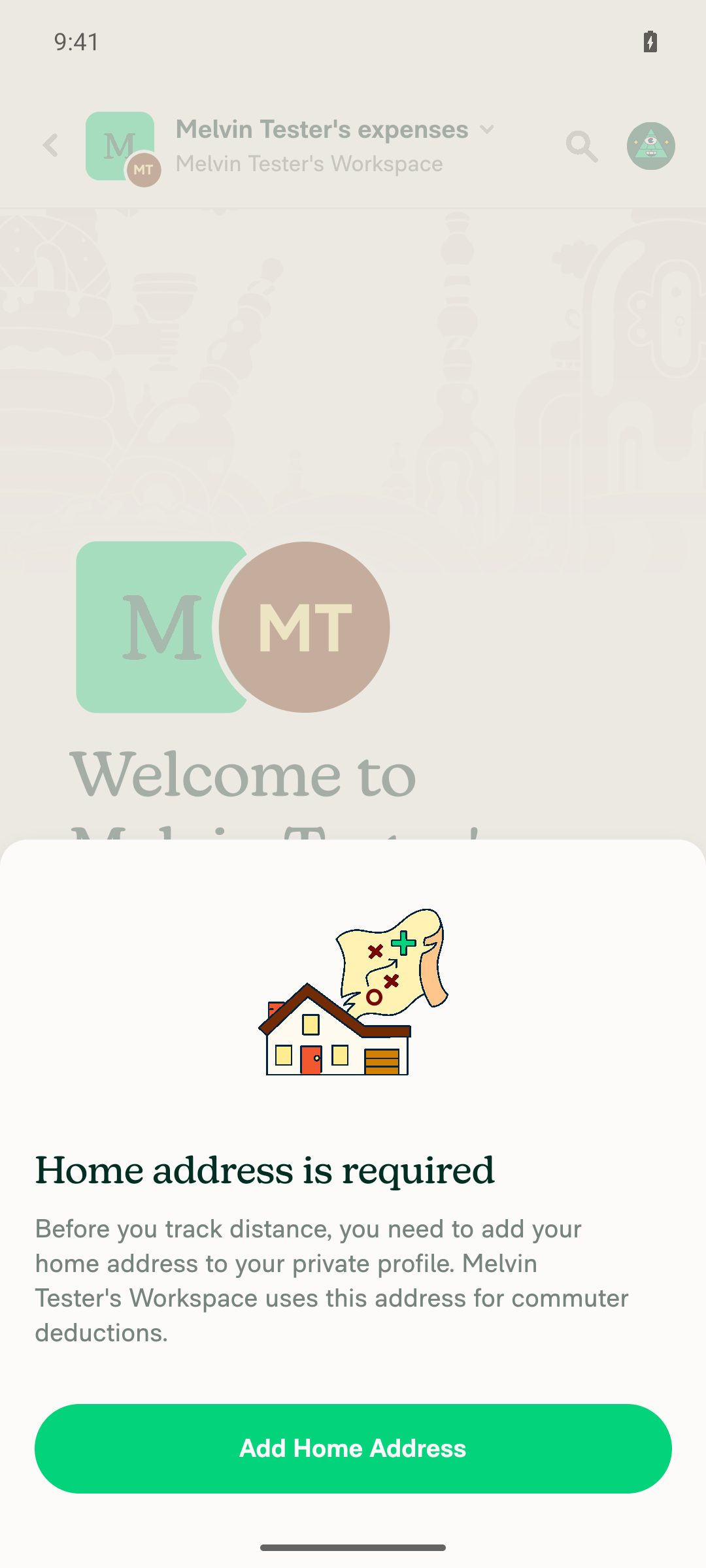
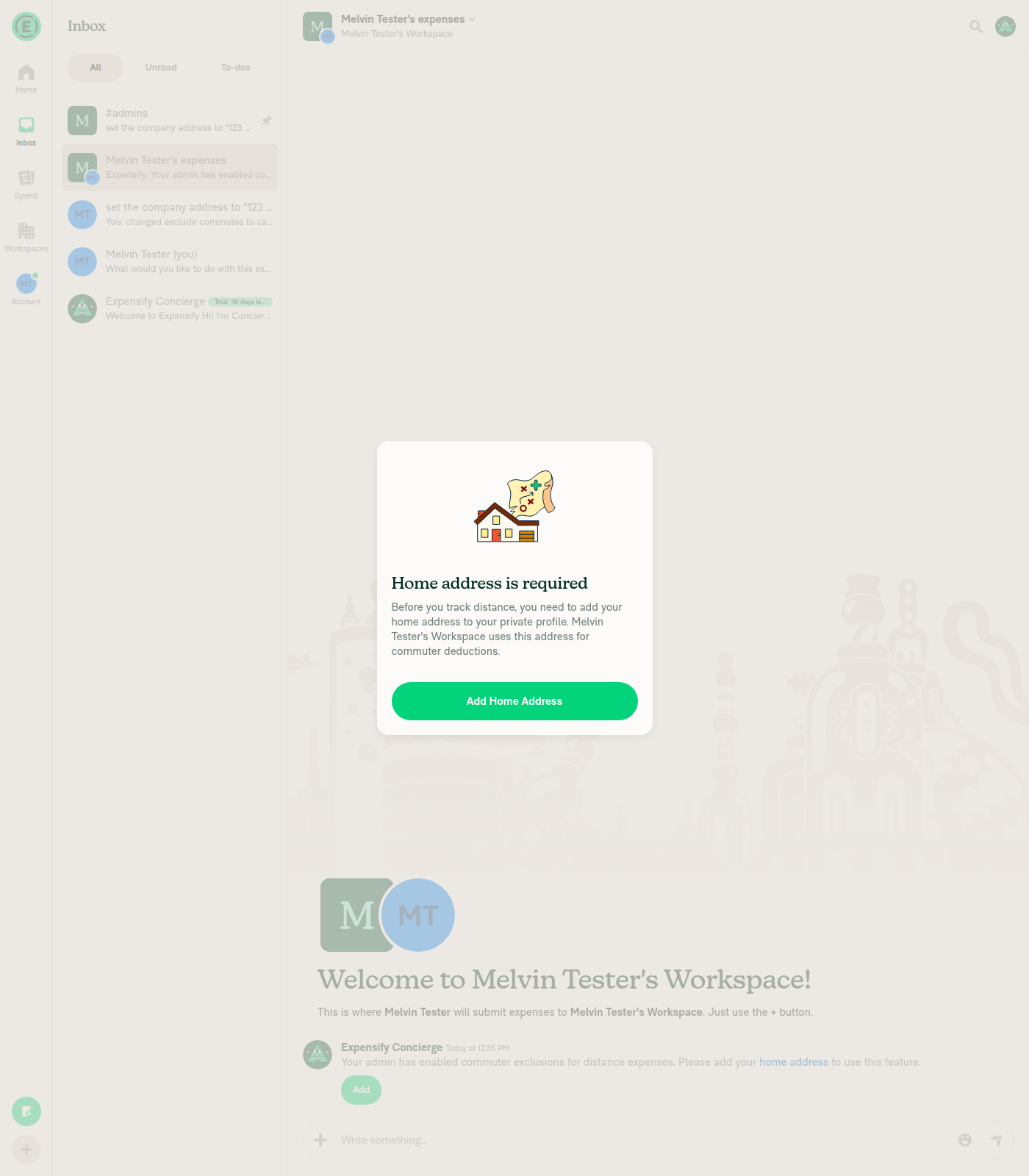
Home address is required modal over the workspace expense chat

Step Status
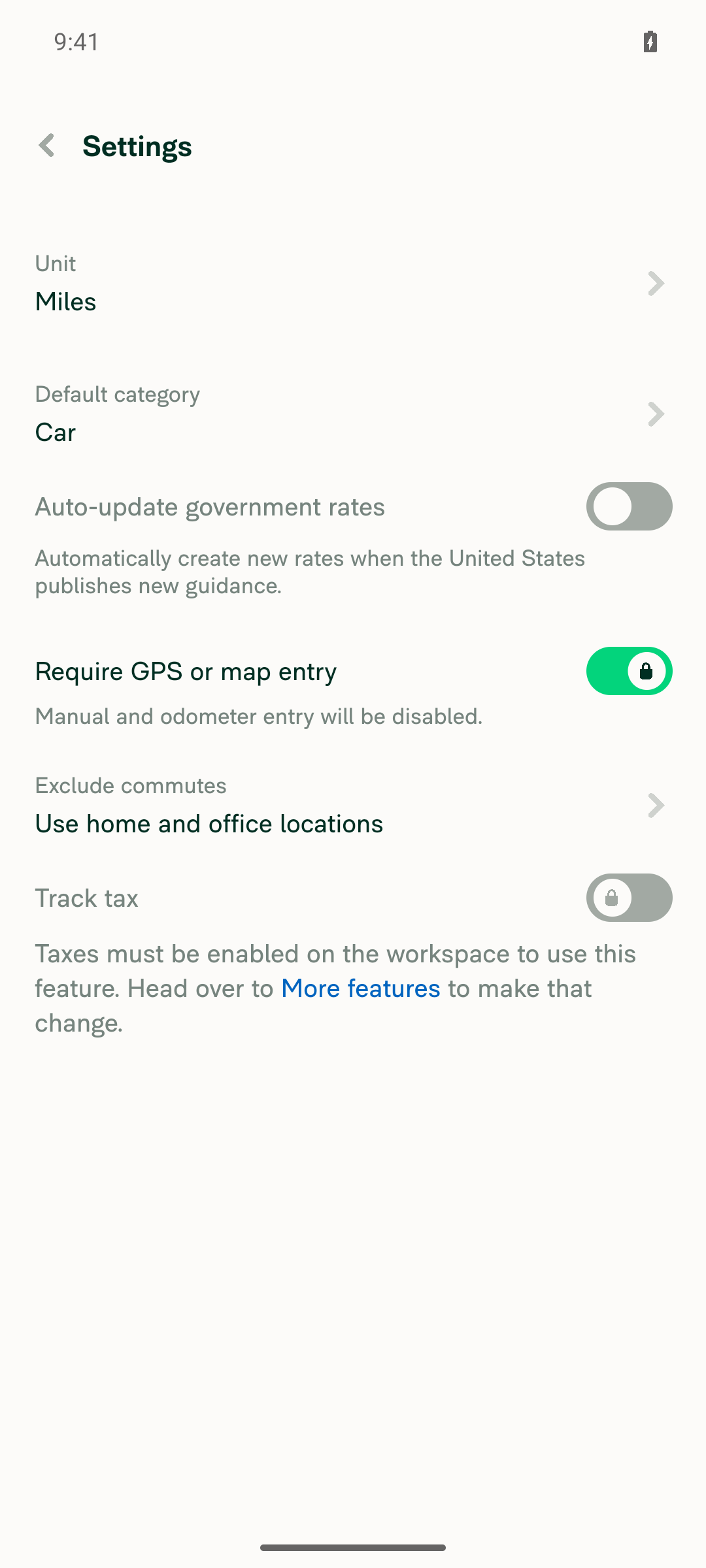
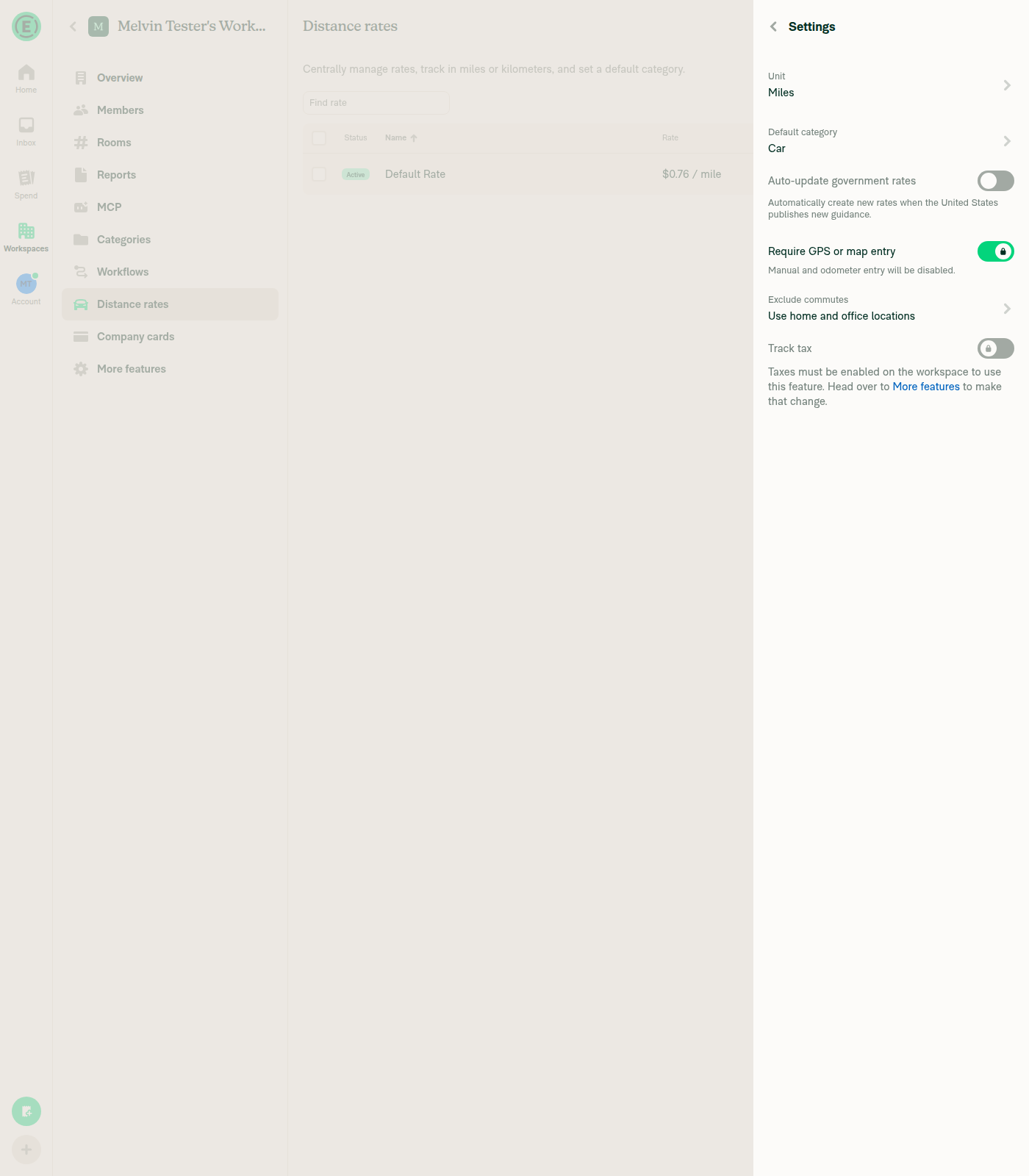
1. Workspace has Distance rates enabled and Exclude commutes set to the home-and-office methodCreated a workspace, set its company address, enabled Distance rates, then Distance rates > Settings > Exclude commutes > "Exclude usual commute" > Save. Settings read back "Exclude commutes, Use home and office locations". Backend-confirmed: #admins carries "enabled distance rates" and "changed exclude commutes to calculate by home and office", and Concierge posted the commuter-exclusion notice in the workspace expense chat.
Workspace Distance rates Settings showing Exclude commutes = 'Use home and office locations'
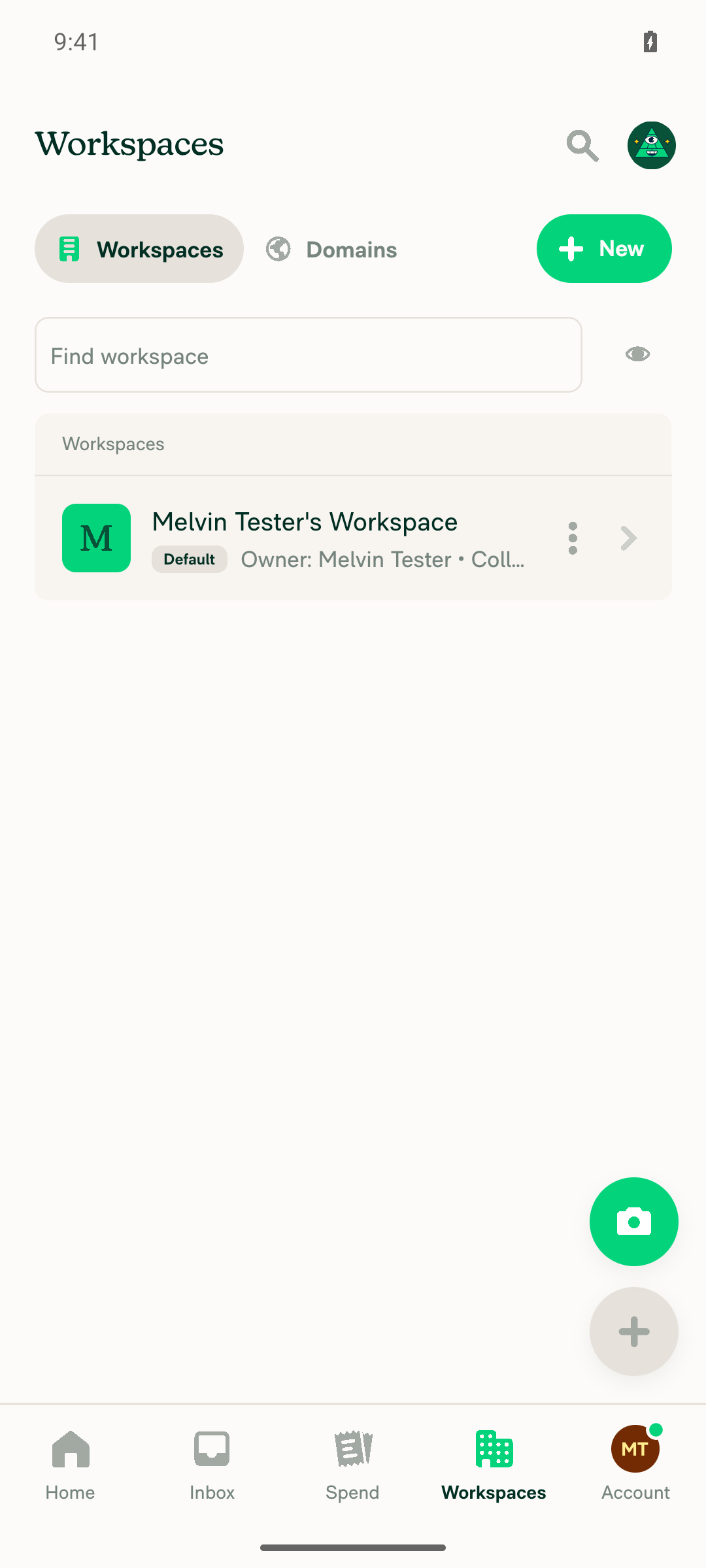
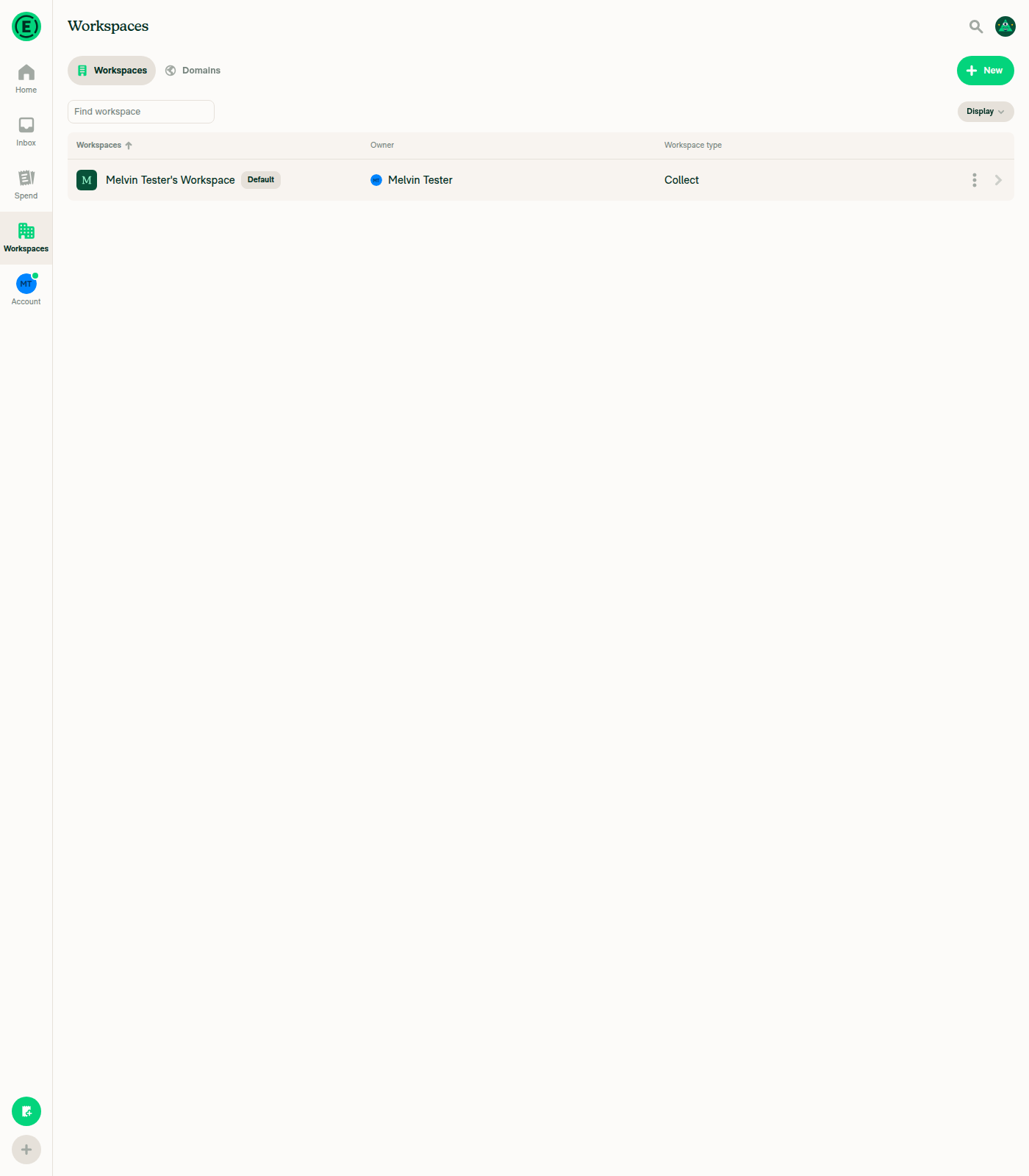
2. That workspace is the default workspaceWorkspaces list renders the row with the Default badge (isDefault === (activePolicyID === policyID)). It is the account's only workspace, so it became the active policy on creation.
Workspaces list with the Default badge on Melvin Tester's Workspace
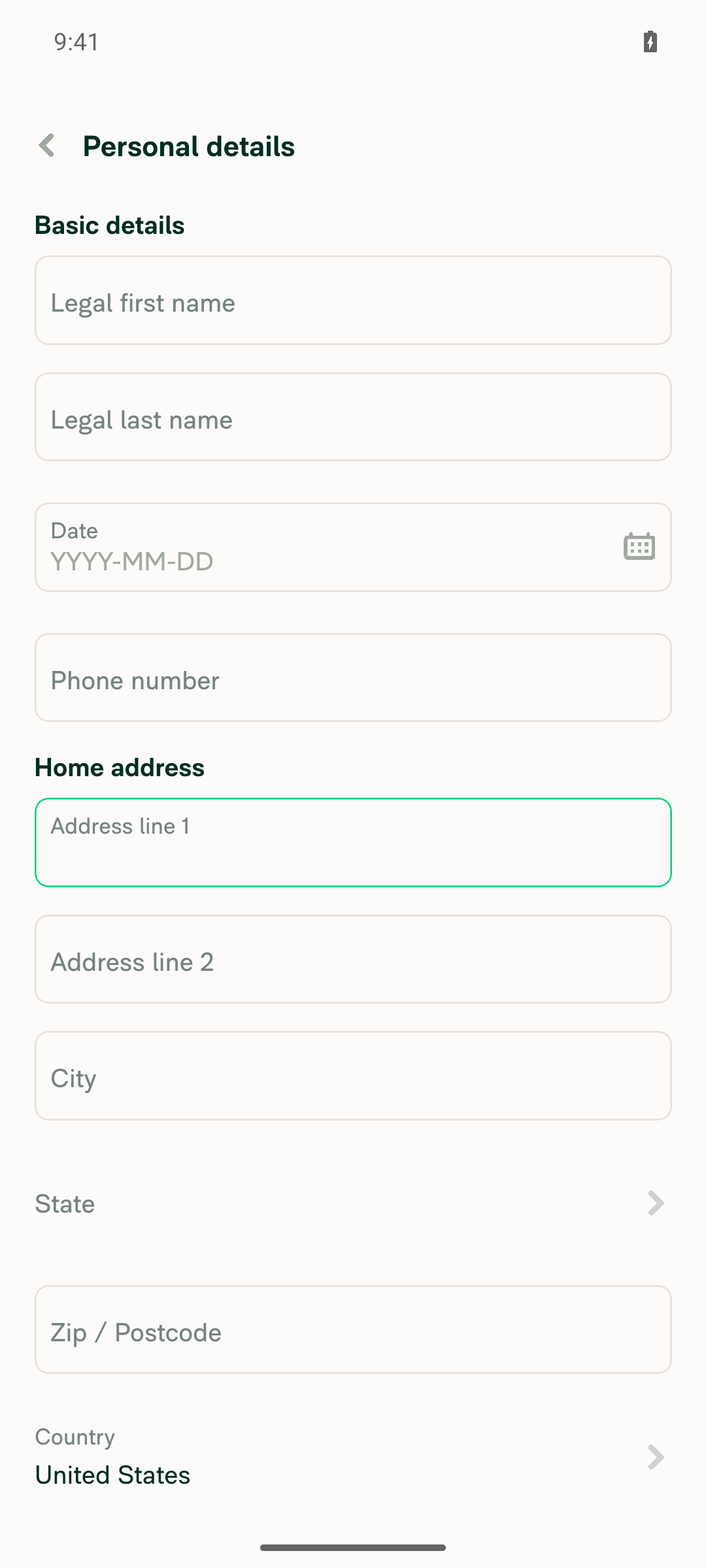
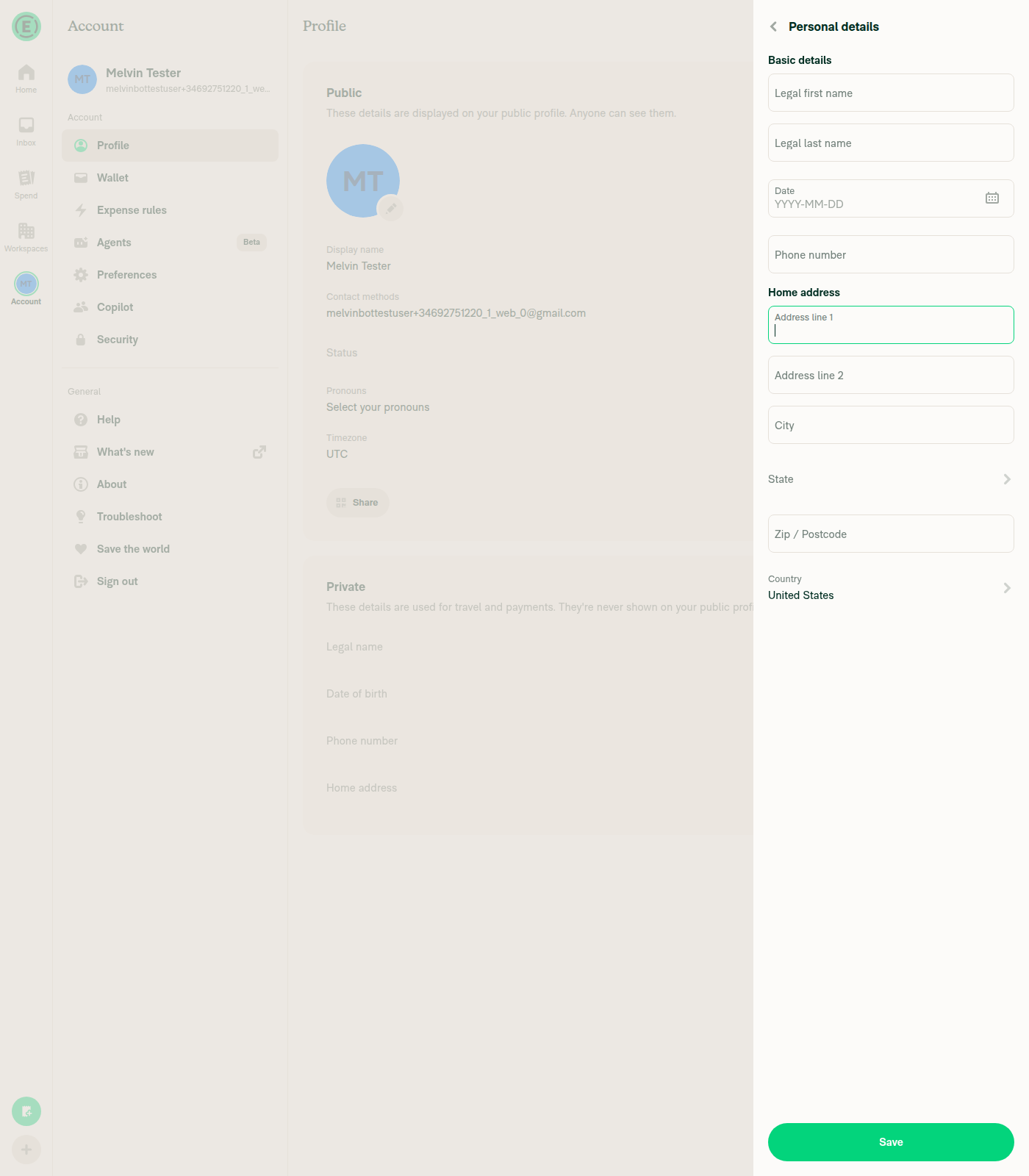
3. Account has no personal home addressSettings > Profile shows "Home address. Your review is required" with no value. Personal details has Address line 1, City, State and Zip all empty (only Country pre-filled). hasHomeAddressSelector keys off street, so the account reads as having no home address.
Personal details page with empty Address line 1, City, State and Zip
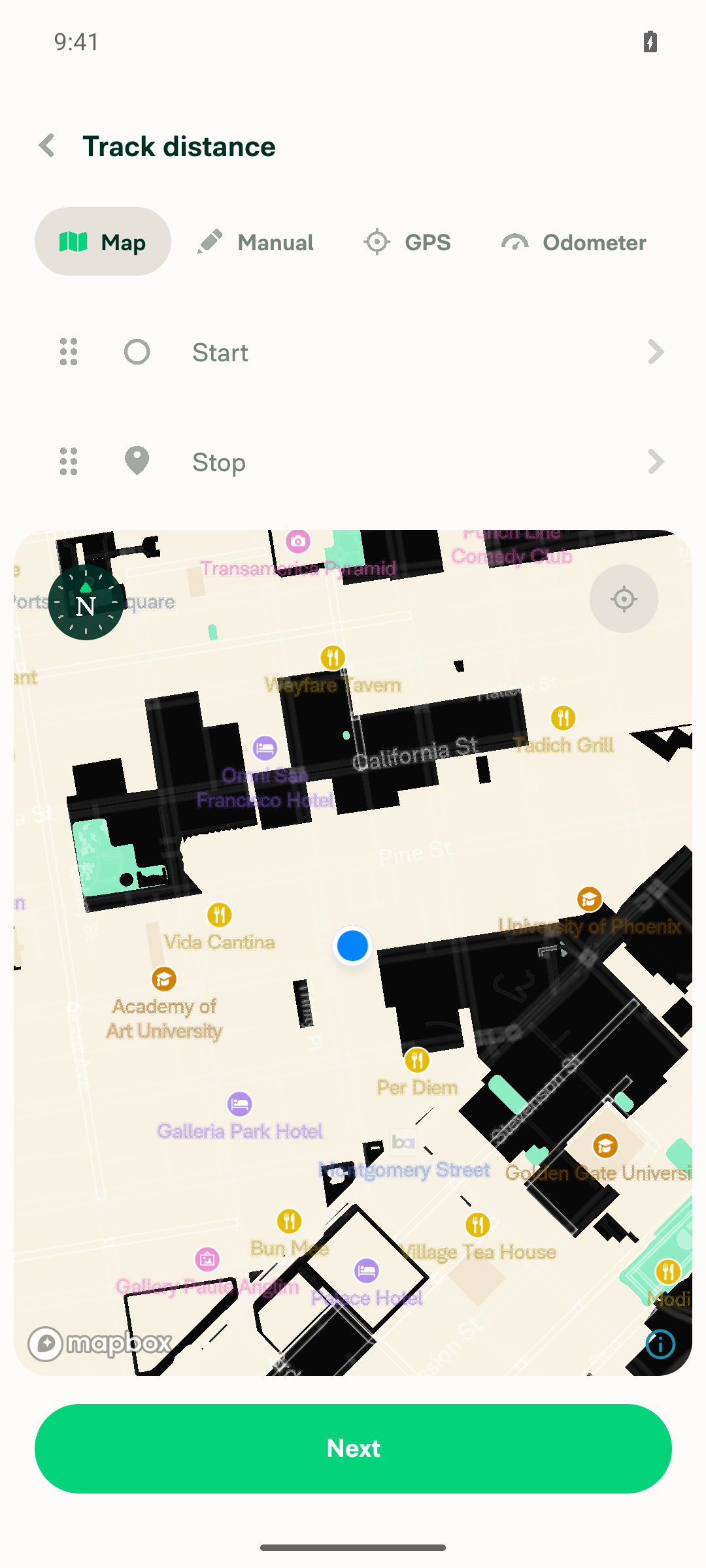
4. Can open the Self-DM and start a distance expense on the Map tabOpened "Melvin Tester (you) / Your space" and chose "Track distance". Landed on the distance flow with the Map tab selected. No modal intercepted entry into the flow.
Self-DM distance expense on the Map tab with Start and Stop waypoints empty
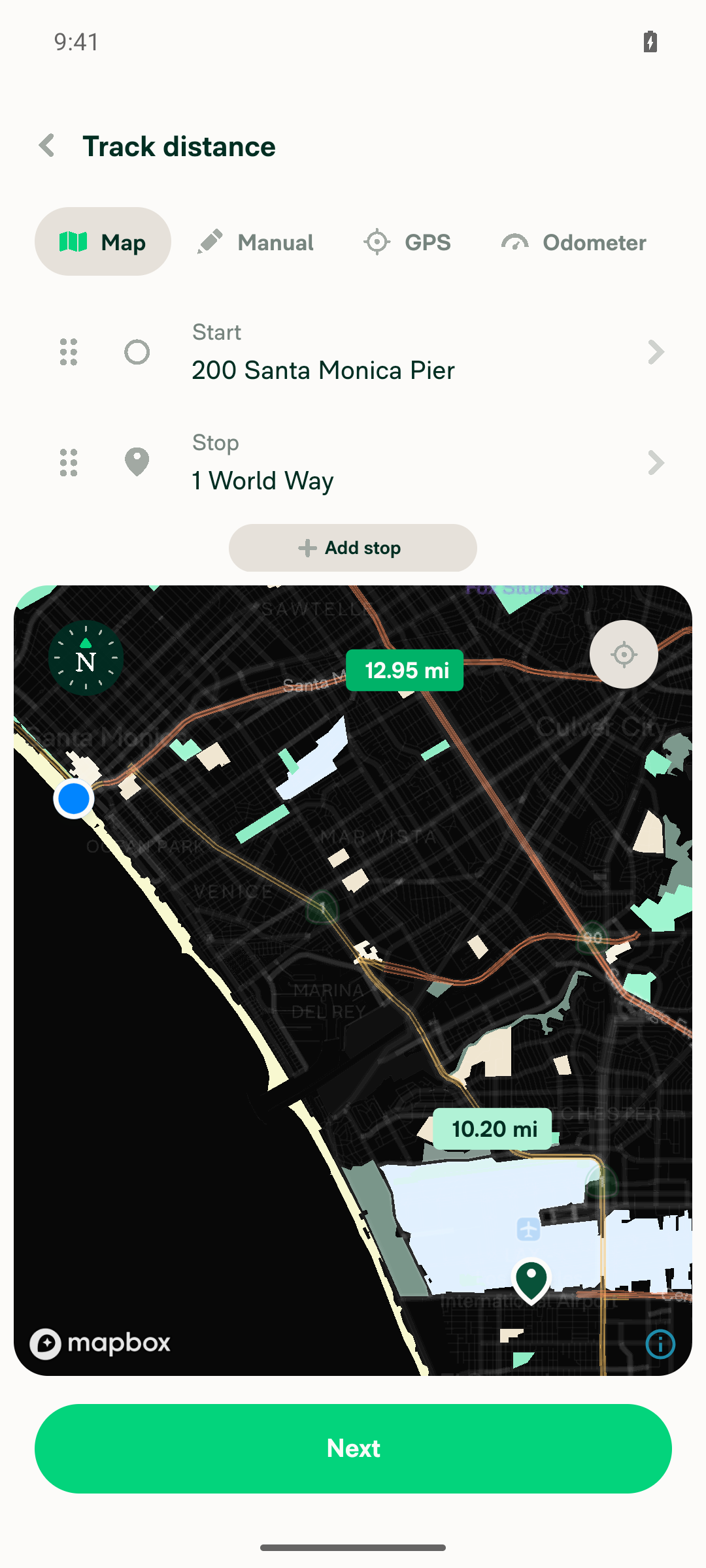
5. Can add a start point and a stop point on the mapStart set to "200 Santa Monica Pier", Stop set to "1 World Way". Route resolved to 12.95 mi and Next re-enabled.
Map with start and stop waypoints set and a 12.95 mi route drawn
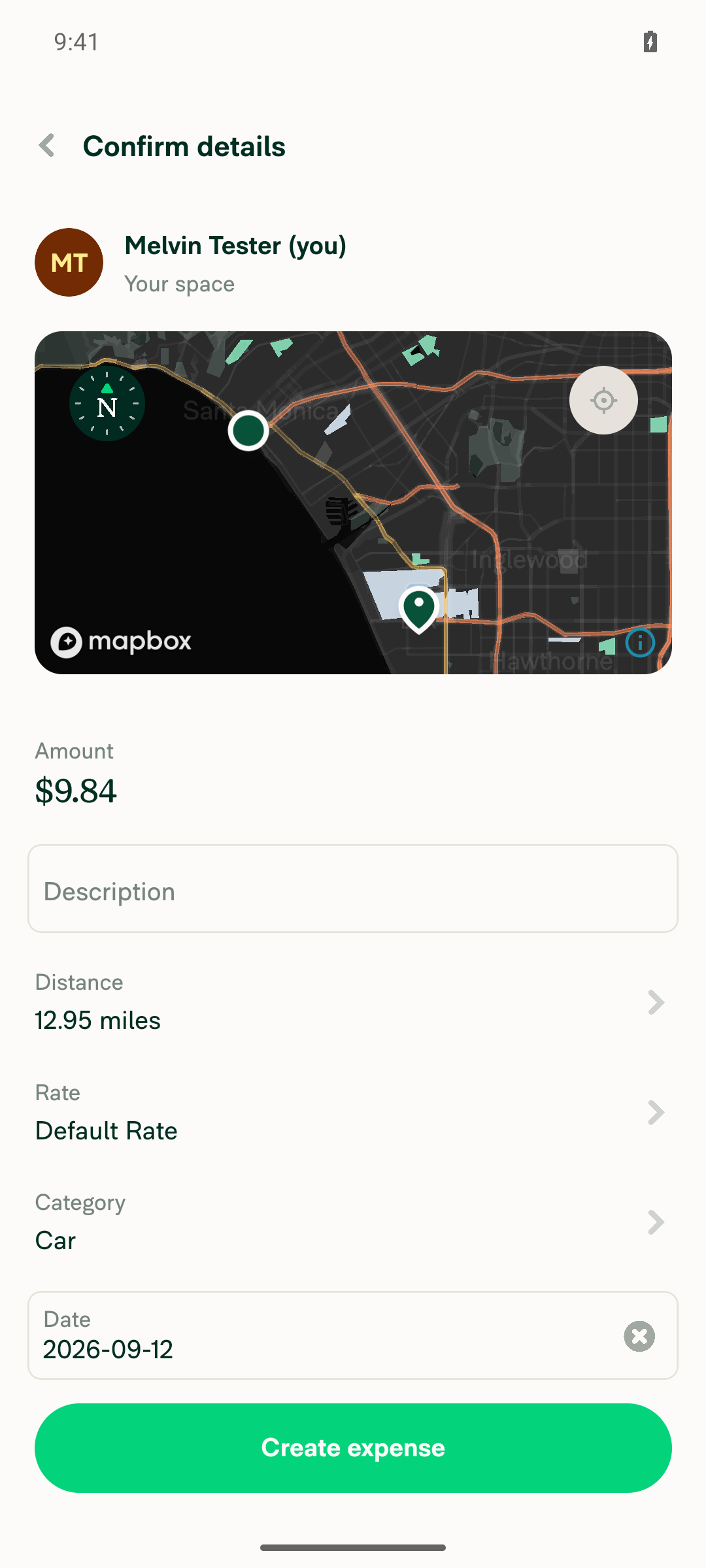
6. Next does NOT show the "Home address is required" modal and advances to the confirmation screenTapped Next and went straight to "Confirm details". Visibility probes for "Home address is required" and "Add Home Address" both returned not-found; "Create expense" was present. Confirmation shows participant "Your space", Amount $9.84, Distance 12.95 miles, Rate Default Rate.
Confirm details screen for the Self-DM distance expense, no modal present
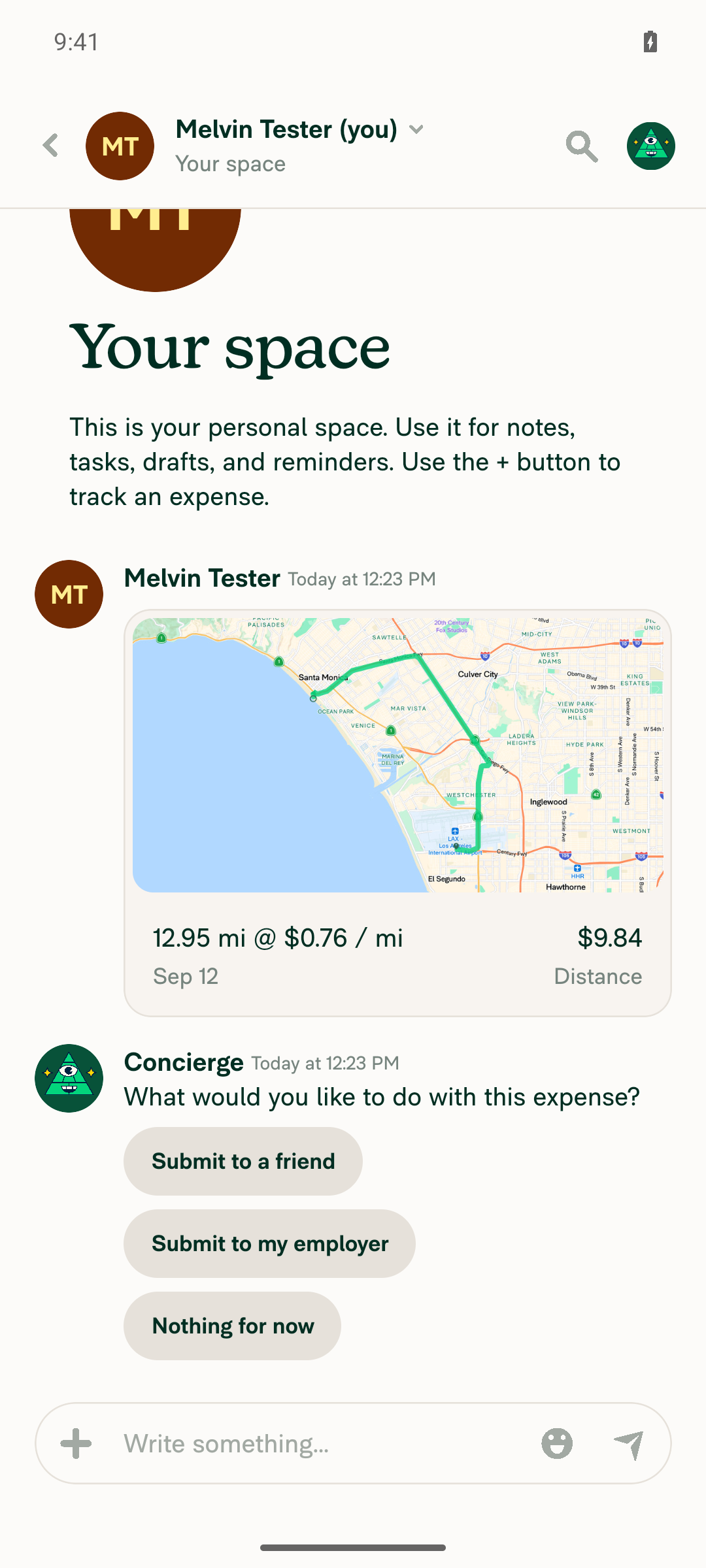
7. Create expense does NOT show the modal and the expense is created in the Self-DMTapped Create expense; the modal did not appear. The Self-DM now contains "tracked $9.84 for 12.95 miles" with the distance preview "12.95 mi @ $0.76 / mi".
Self-DM chat showing the created tracked $9.84 / 12.95 miles distance expense
8. Regression: a distance map expense destined for the workspace still shows the modalOpened the workspace expense chat and chose "Track distance". The modal fired immediately, before the map screen: "Before you track distance, you need to add your home address to your private profile. Melvin Tester's Workspace uses this address for commuter deductions." with an "Add Home Address" button. Workspace name interpolated correctly.
Home address is required modal over the workspace expense chat

No JS console errors.

Two notes on how the run was set up

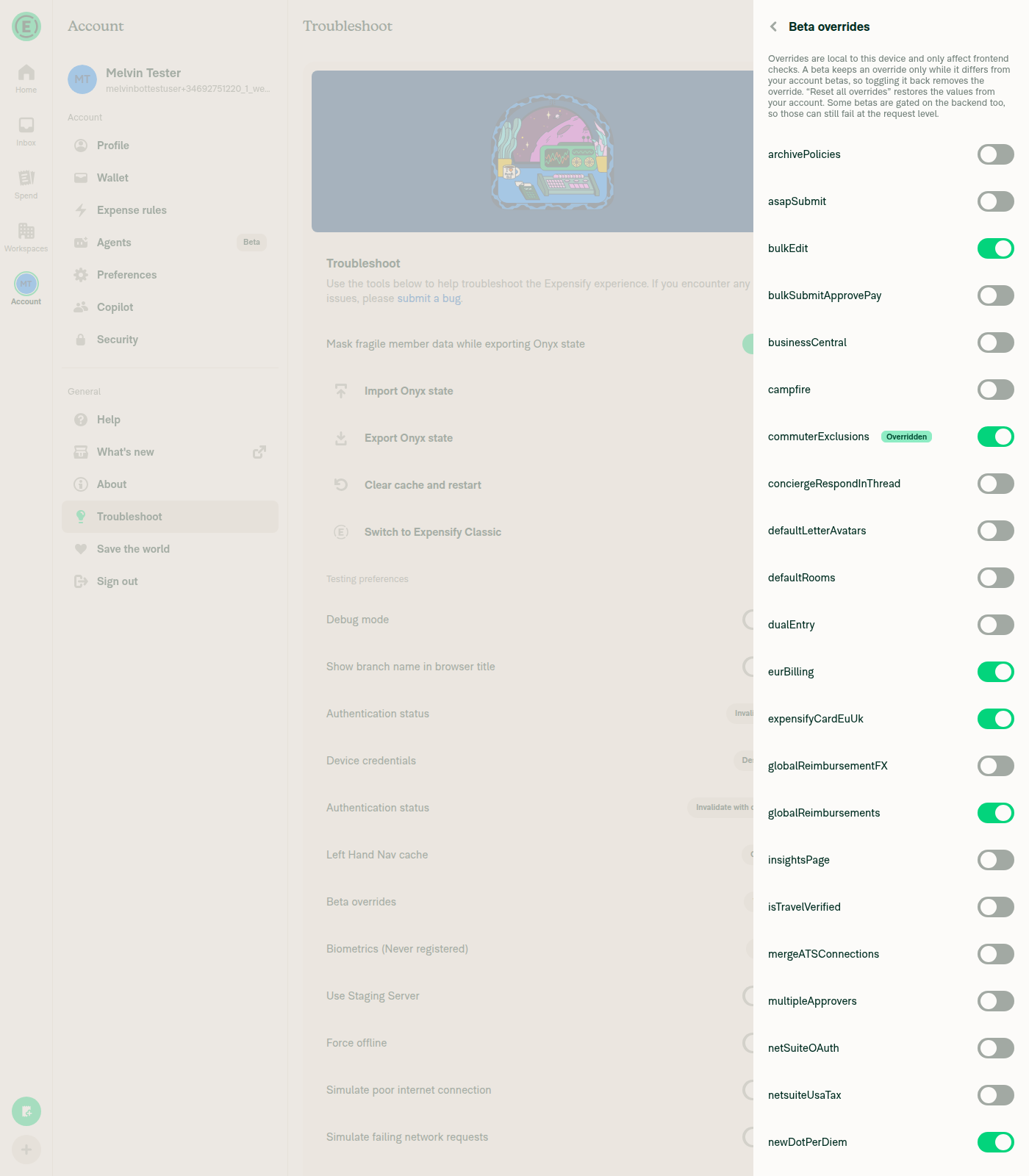
Beta override. "Exclude commutes" is gated on CONST.BETAS.COMMUTER_EXCLUSIONS in src/pages/workspace/distanceRates/PolicyDistanceRatesSettingsPage.tsx, and the fresh test account is not in that beta, so the row does not render. I enabled the commuterExclusions override via Settings > Troubleshoot > Beta overrides. That is frontend-only and does not weaken the result — the backend accepted the setting, evidenced by the POLICYCHANGELOG actions in #admins and the Concierge commuter-exclusion notice.

Composer entry point. In both the Self-DM and the workspace expense chat, composer Create expense offers only Scan and Manual tabs — there is no Distance tab there. The distance flow is only reachable via the separate Track distance action, which is the path I used for steps 4-8. Flagging in case a Distance tab under Create expense was expected.


view run · no recording available

@MelvinBot

MelvinBot commented Sep 12, 2026

Copy link
Copy Markdown
Contributor Author

🤖 Web test steps verification results: ✅ pass

The PR's Tests section is still a TODO, so I ran the reproduction steps documented in the linked issue #100969 against this branch on dev NewDot web. A Self-DM map distance expense completed end-to-end with no "Home address is required" modal, while the same flow destined for the commuter-exclusion workspace still shows the modal.

Home address is required modal shown when starting a distance expense in the workspace expense chat

Step Status
1. Workspace has Distance rates enabled and Exclude commutes set to "Calculate by home and office"Created a workspace, set its company address (required before the home/office option can be selected), enabled Distance rates in More features, then Distance rates > Settings > Exclude commutes > "Exclude usual commute" — the current en copy for CONST.POLICY.COMMUTER_EXCLUSION_METHOD.HOME_AND_OFFICE. After saving, the row reads back "Exclude commutes, Use home and office locations" and "Require GPS or map entry" auto-locked on, with the Default Rate $0.76/mile row Active.
Workspace Distance rates settings: Exclude commutes = Use home and office locations, Require GPS or map entry locked on
Beta overrides page with commuterExclusions toggled on and marked Overridden
2. That workspace is the default workspaceWorkspaces list row reads "Workspace name: Melvin Tester's Workspace, Default, Owner: Melvin Tester, Workspace type: Collect". The Default badge renders only when activePolicyID === policyID (see src/pages/workspace/WorkspacesListPage.tsx), so NVP_ACTIVE_POLICY_ID points at this workspace.
Workspaces list showing Melvin Tester's Workspace with the Default badge
3. Account has no personal home addressSettings > Profile > Home address has no value. Personal details shows Address line 1, Address line 2, City and Zip empty and State unset (only Country prefilled). Concierge also posted "Your admin has enabled commuter exclusions for distance expenses. Please add your home address to use this feature.", confirming the backend sees no home address.
Personal details RHP with all Home address fields empty
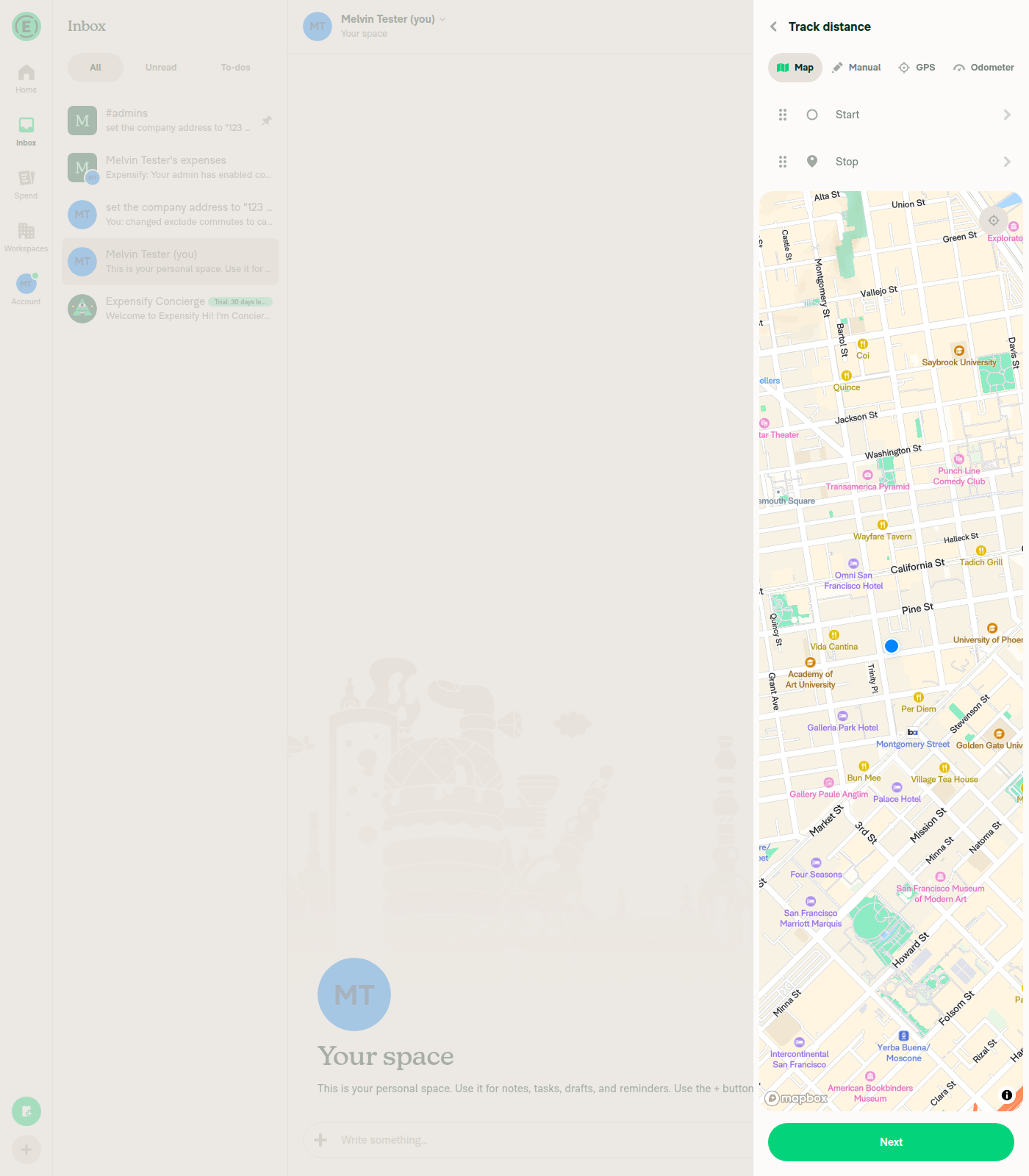
4. Self-DM opens and a distance expense can be started on the Map tabOpened the Self-DM (header "Melvin Tester (you) / Your space") and used composer + > Track distance. The flow opened with tabs Map/Manual/GPS/Odometer, Map selected, showing Start/Stop rows and a Next button. No blocking modal on entry.
Track distance flow open on the Map tab inside the Self-DM (Your space)
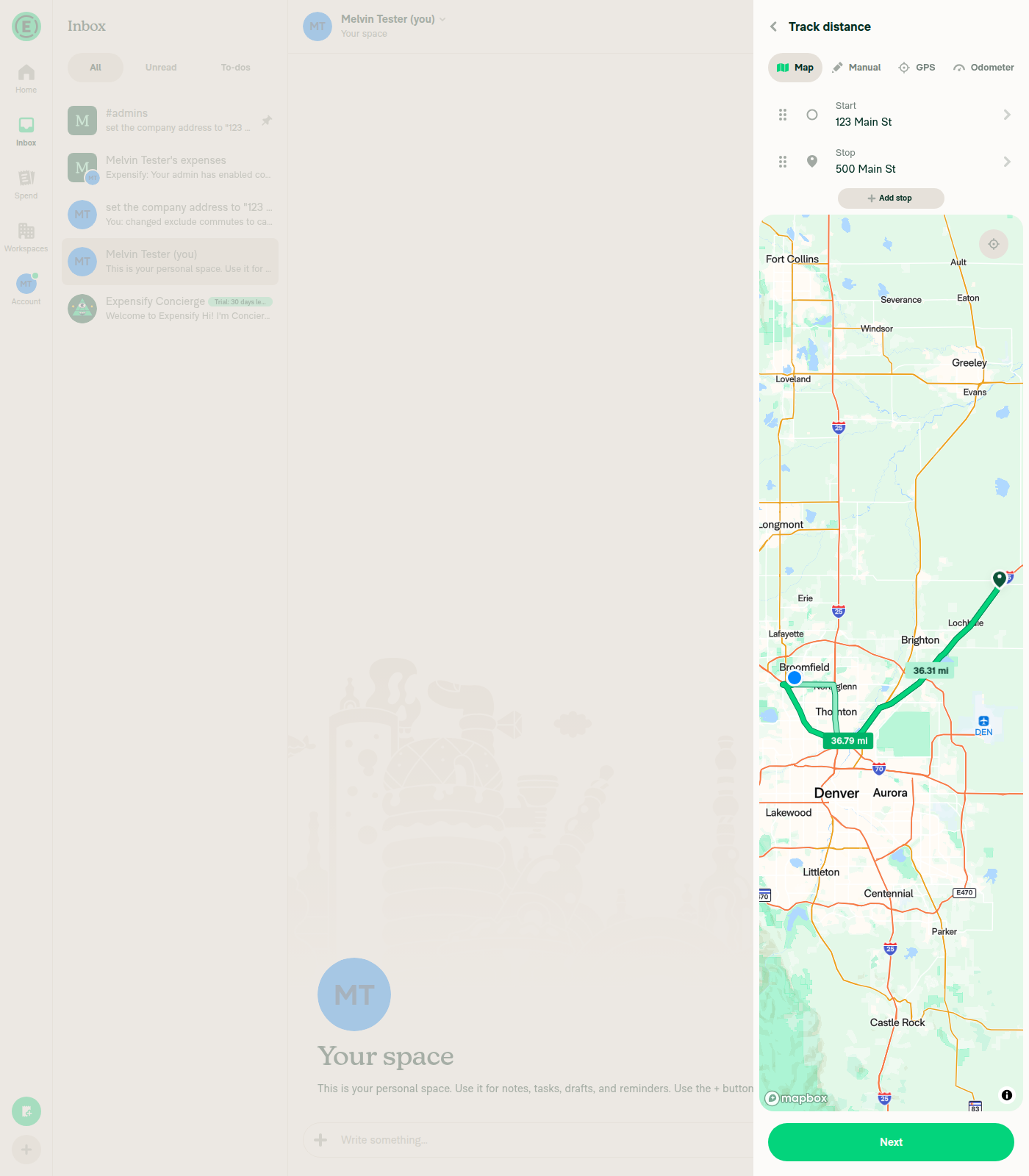
5. Start point and stop point can be added on the mapStart set to 123 Main St (Broomfield, CO), Stop to 500 Main St (Hudson, CO) via the address autocomplete. Both waypoints read back, an "Add stop" button appeared, and the map rendered the route at 36.79 mi.
Map tab with Start 123 Main St, Stop 500 Main St and a routed line of 36.79 mi
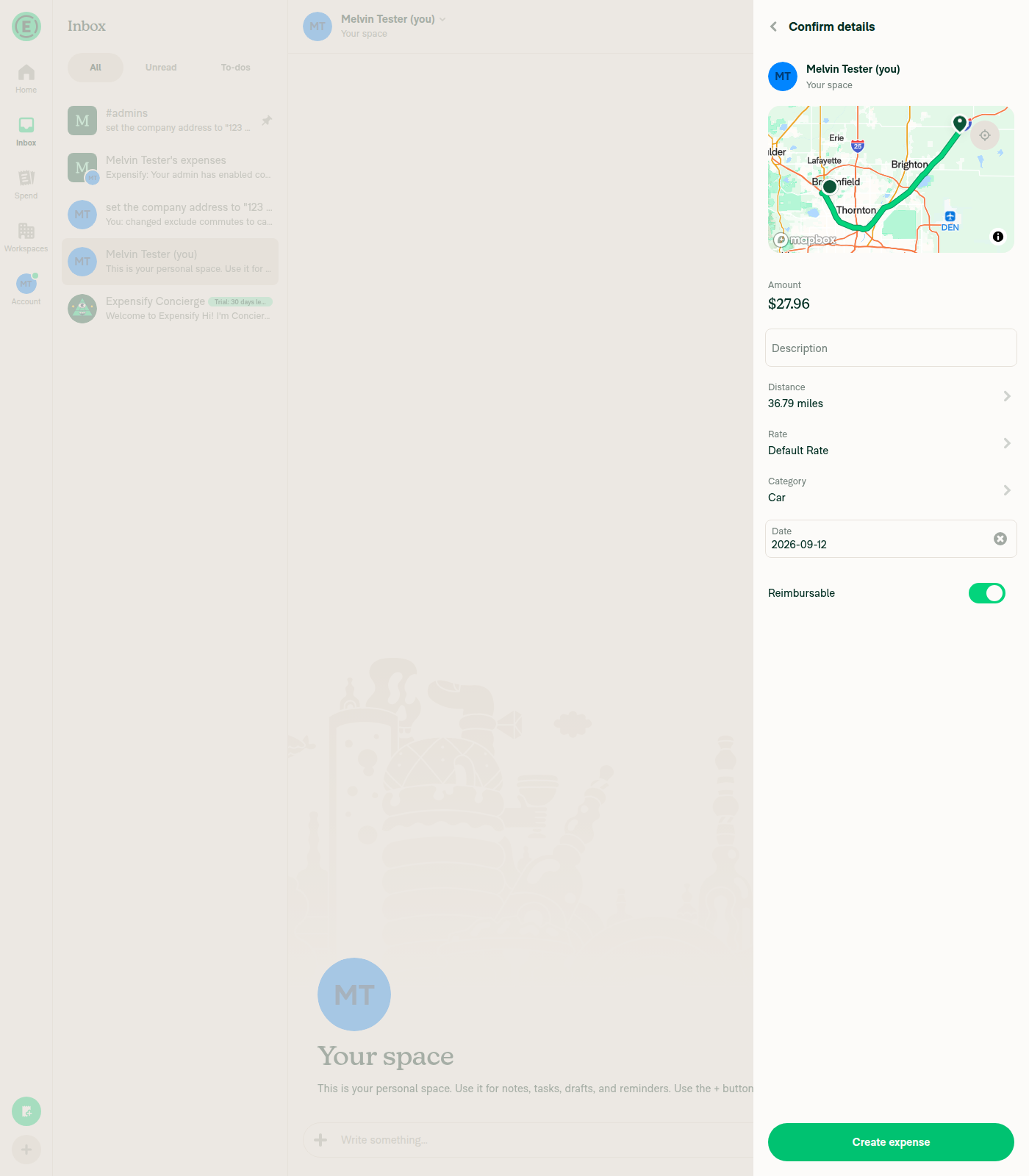
6. Next does NOT show the "Home address is required" modal and advances to the confirmation screenClicking Next settled directly into "Confirm details" with participant "Melvin Tester (you), Your space", Amount $27.96, Distance 36.79 miles, Rate Default Rate, Category Car and a "Create expense" button. No dialog node and no "Home address is required" heading in the snapshot.
Confirm details screen for the Self-DM distance expense, no home address modal
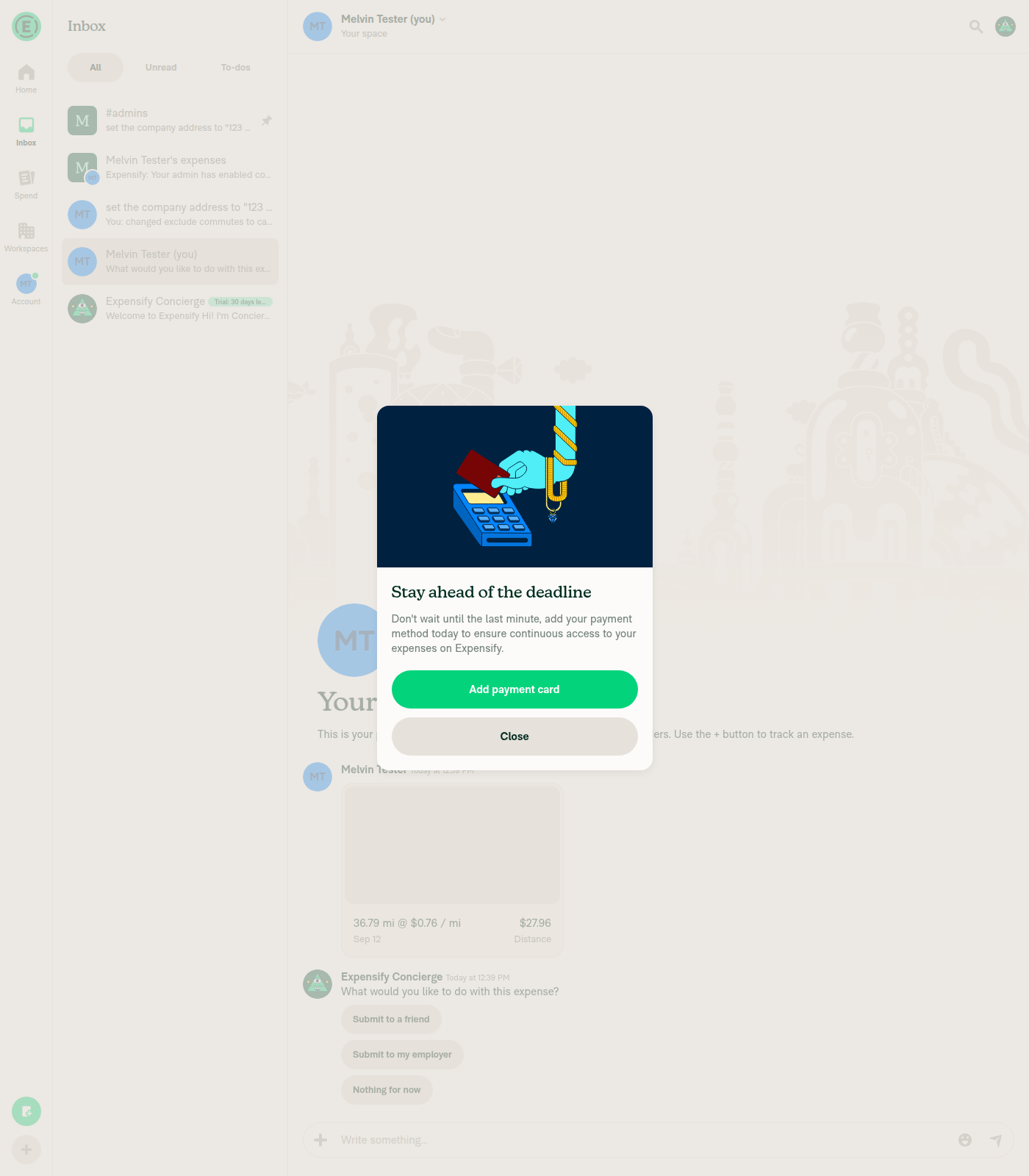
7. Create expense does NOT show the modal and the expense is created in the Self-DMAfter Create expense the flow returned to the Self-DM showing "tracked $27.96 for 36.79 miles" with the distance preview (36.79 mi @ $0.76 / mi) plus the Concierge follow-up. No "Home address is required" modal. An unrelated free-trial "Add payment card" nudge appeared over the chat and was dismissed — it is not the home-address block.
Self-DM showing the created 36.79 mi $27.96 distance expense
8. Regression: a workspace-destined distance map expense still shows the modalIn the workspace expense chat "Melvin Tester's expenses", composer + > Track distance immediately surfaced the dialog "Home address is required" with "Before you track distance, you need to add your home address to your private profile. Melvin Tester's Workspace uses this address for commuter deductions." and an "Add Home Address" button. Workspace name interpolated correctly.
Home address is required modal shown when starting a distance expense in the workspace expense chat
Setup notes and one caveat on console errors

Beta override. The Exclude commutes row is gated behind the commuterExclusions beta, which a fresh account is not in, so I enabled it via Settings > Troubleshoot > Beta overrides. That is frontend-only — the backend accepted the setting regardless, evidenced by the Concierge commuter-exclusion notice in the workspace expense chat.

Setup prerequisite worth documenting. "Exclude usual commute" cannot be selected until the workspace has a company address (PolicyCommuterExclusionsPage blocks with a workspace-address-required modal), and selecting it auto-locks "Require GPS or map entry" on.

Entry point. In both the Self-DM and the workspace expense chat, composer Create expense offers only Manual and Scan tabs — no Distance tab. Track distance is the map-distance entry point, and that is the path used for steps 4-8.

Console errors: not collected. Browser console capture is unavailable on this web driver, so I cannot assert the "no JS console errors" checklist item. No in-app error banners, red-dot errors, or failed-action states were observed during the run.

The observed behavior matches the scoping in src/hooks/useBlockDistanceRequest.ts: the block reason is computed per destination policy ID, so the Self-DM (no policy) skips the homeAddressRequired branch while the workspace chat still hits it.


view run · no recording available

// Odometer tabs do. `policy` here can be the member's active workspace even for a Self-DM track expense, and
// personal expenses are exempt from a workspace's commuter rule.
const blockDistanceRequestIfNeeded = useBlockDistanceRequest({
policyID: report?.policyID ?? (shouldAutoReportToDefaultWorkspace ? defaultExpensePolicy?.id : undefined),

Copy link
Copy Markdown
Contributor

Choose a reason for hiding this comment

The reason will be displayed to describe this comment to others. Learn more.

@MelvinBot This will fail if report?.policyID is FAKE, because FAKE is truthy and won't trigger the fallback

@MelvinBot MelvinBot Sep 13, 2026

Copy link
Copy Markdown
Contributor Author

Choose a reason for hiding this comment

The reason will be displayed to describe this comment to others. Learn more.

You're right about the ?? semantics — _FAKE_ is truthy, so it short-circuits the fallback. But I traced it and it's a no-op here, for two independent reasons:

1. _FAKE_ and undefined behave identically inside the hook. getBlockReason only uses the ID as a key lookup into policiesRequiringMapOrGPS, which is built from the real POLICY collection:

src/hooks/useBlockDistanceRequest.ts:91

if (!policyIDToCheck || !policiesRequiringMapOrGPS?.[policyIDToCheck] || isEditingExistingDistanceRequest) {

No policy is ever stored under _FAKE_, so it bails at the second condition instead of the first. Same result, and no risk of a wrong workspace name leaking into the modal copy.

2. The fallback branch is unreachable when policyID is _FAKE_. The fallback only matters if shouldAutoReportToDefaultWorkspace is true, and that hard-gates on iouType === create:

src/libs/shouldUseDefaultExpensePolicy.ts:18

Every create distance entry point passes a freshly generated report ID that has no Onyx report — e.g. FloatingActionButtonAndPopover.tsx:36 feeding TrackDistanceMenuItem.tsx:53, plus the generateReportID() call sites in QuickCreationActionsBar, SearchActionsBarCreateButton, and useCreateNavigationSuggestions. So report is undefined, report?.policyID is undefined, and the fallback fires as intended. Conversely, when a report actually carries _FAKE_ (Self-DM / DM, from buildOptimisticChatReport's default), iouType is track/submit, so shouldAutoReportToDefaultWorkspace is false and the fallback would resolve to undefined anyway.

I couldn't construct a case where a _FAKE_ report reaches this step with iouType === create. If you know of one, say so and I'll fix it.

One note on scope: this expression is copied verbatim from mainDynamicIOURequestStepDistanceManual.tsx:161 and IOURequestStepDistanceOdometer.tsx:176. If you'd still rather normalize _FAKE_ defensively, I'd do it in all three at once so they don't drift — happy to push that if you want it.


view run · no recording available

@MelvinBot

Copy link
Copy Markdown
Contributor Author

The failing test isn't caused by this PR

test (job 4) fails on 3 tests in tests/navigation/NavigateTests.tsx — a file this PR doesn't touch. Those same 3 tests fail on main right now, with none of this PR's code applied. There's nothing to fix on this branch, and merging main in won't help either, because main is red too.

Root cause: TAB_SCREENS.ts:9-16 puts WORKSPACE_NAVIGATOR at index 5 (HOME, REPORTS, SEARCH, INSIGHTS, SETTINGS, WORKSPACE). Three tests added by #100387 seed an initialState that omits SCREENS.INSIGHTS and then read routes.at(4) — which lands on SETTINGS_SPLIT_NAVIGATOR, whose .state is undefined. Hence Expected: "Workspaces_List" / Received: undefined. The other 11 tests in that file all include SCREENS.INSIGHTS and pass.

It's a semantic merge conflict: #100387 branched before INSIGHTS was added to the tab list, merged cleanly as text, and broke once it landed.

Fix (verified locally — 14/14 pass): in those 3 tests, add {name: SCREENS.INSIGHTS} before SETTINGS_SPLIT_NAVIGATOR, change index: 4index: 5, and change the five routes.at(4) reads to routes.at(5).

This belongs in its own PR against main rather than in a distance-expense PR — it unblocks every open PR, not just this one. Reply @MelvinBot open that PR and I'll put it up.

The other two red checks (checklist, Check independent approval) are the standard author-checklist gates — they need the Tests and QA Steps sections filled in and the boxes ticked before this goes ready for review.

Evidence

Each run below is tests/navigation/NavigateTests.tsx in isolation:

Commit What it is Result
20b5a4a this PR's head 3 failed, 11 passed
6d42ea0 this PR's merge base (no PR code) 3 failed, 11 passed
ddeb1a7 current main tip 3 failed, 11 passed
ea9470c merge of #100387, which added these 3 tests 3 failed, 11 passed
ea9470c + the fix above 14 passed

This PR's own test file passes: tests/ui/IOURequestStepDistanceMapCommuterExclusionTest.tsx → 2 passed.

The three broken tests and their routes.at(4) reads:

Compare with a passing test in the same file, which includes SCREENS.INSIGHTS: NavigateTests.tsx:47-64.

@MelvinBot

Copy link
Copy Markdown
Contributor Author

Update: the fix is already up and approved — nothing to do on this branch

Re-checked. Situation on this PR is unchanged: test (job 4) still fails on the same 3 tests in tests/navigation/NavigateTests.tsx, still not caused by this PR, and main is still red (unchanged at ddeb1a7). Full analysis in my earlier comment.

What's new: someone already put the fix up — #101024 ("Fix Workspace navigation tests after Insights tab addition", by nabi-ebrahimi). It's approved, all 8 test jobs are green, and its only red check is the review bot job. It does exactly what's needed: adds {name: SCREENS.INSIGHTS}, bumps index: 45, and replaces the hardcoded routes.at(4) reads with a getWorkspaceNavigatorState() name lookup — which is more robust than the index bump I described, since it won't break again the next time a tab is added.

So the path to green here is: merge #101024, then re-run test (job 4) on this PR. No commit is needed on this branch, and I'm not pushing one.

Heads up: #101016 ("[No QA] Look up the Workspace navigator by name in NavigateTests") is a duplicate of the same fix and is still open — worth closing one of the two.

The other two red checks (checklist, Check independent approval) are the standard author-checklist gates — they need the Tests and QA Steps sections filled in and the boxes ticked before this goes ready for review.

Sign up for free to join this conversation on GitHub. Already have an account? Sign in to comment

Labels

Melvin-Test-Android Melvin-Test-Web Triggers Melvin to run the testing steps of the PR on web

Projects

None yet

Development

Successfully merging this pull request may close these issues.

2 participants