
A web IDE to write, run and learn M68K, MIPS, RISC-V, X86 and Z80 assembly code with a focus on teaching and learning assembly.
It includes many debugging and inspection tools aimed to help you understand assembly more easily.
Published research ASM Editor is described in ASM Editor: Understanding Language Abstractions Through Assembly Programming, presented at the 2026 IEEE Global Engineering Education Conference (EDUCON), Cairo. If you use it in teaching or research, please cite the paper.
- Code completion and syntax highlighting
- Run the program or step through it
- Breakpoints and undo of execution (backwards stepping)
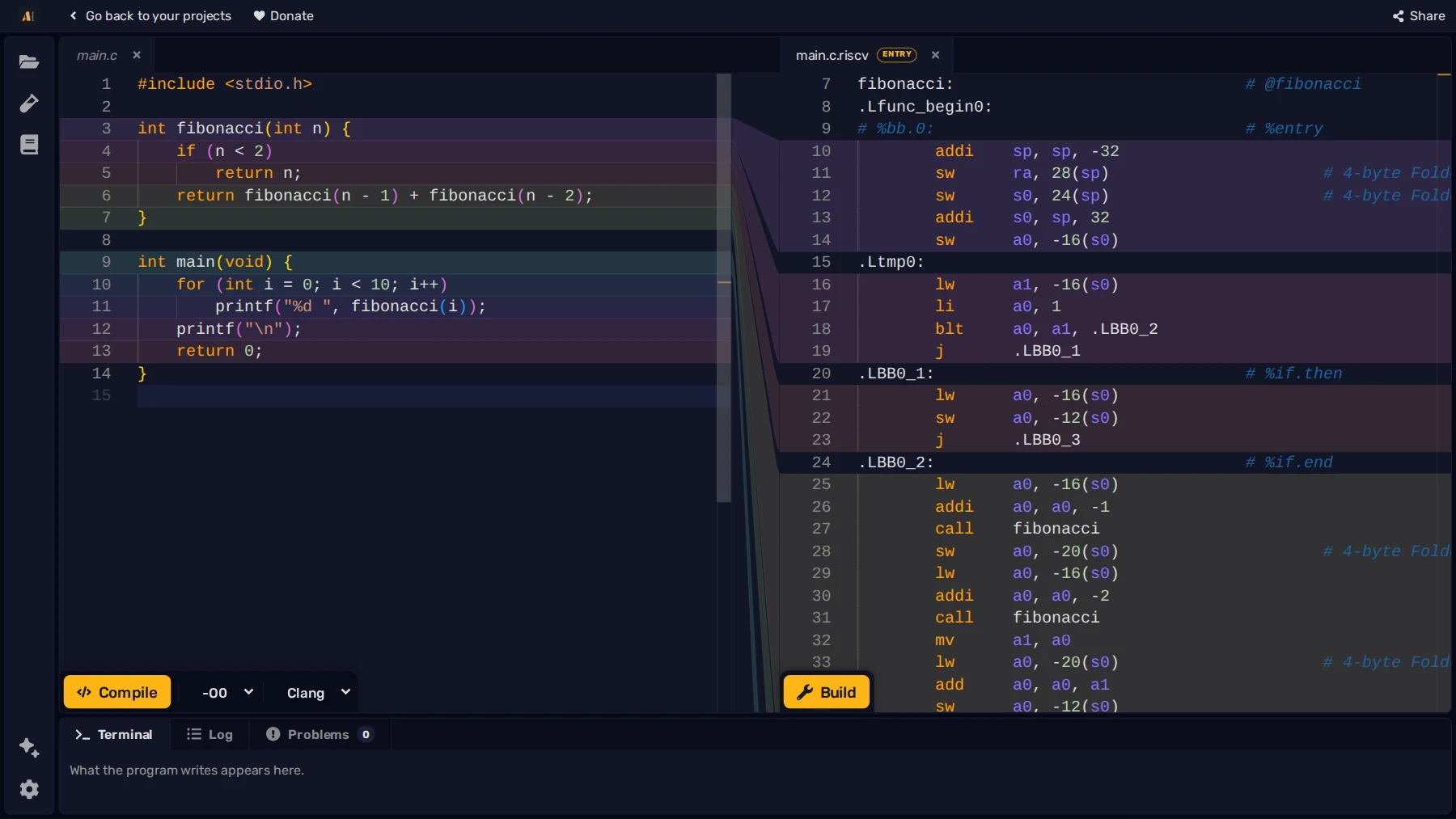
- Compile C/C++ into assembly and then execute it to learn how C/C++ is run by a machine
- Built in peripherals like terminal, screen, keyboard, mouse and file system
- Inspect the value of each register and memory address to see what was changed with each instruction
- Create new projects and manage them all in the webapp then share it with others through links or project files
- Useful errors and warnings to help you learn better
- Built-in documentation and intellisense with addressing modes, descriptions and examples
- Customisable settings and shortcuts, including theme customization
- IDE can be embedded in other websites. You can also create exams, useful for schools and universities
- Interactive courses for each assembly language to learn low level coding from scratch
While running, there are many tools to help you understand what instructions did and debug the code.
- Values which changed between each instructions are highlighted and the old value is also visible. Registers and memory have tooltips to show the decimal/hexadecimal value.
- Follow the stack pointer with the dedicated tab, it's split in rows of 4 bytes to make it easier to see the changes. The stack is also color coded so that the frames of each function call can be more easily debugged.
- When calling functions, a callstack is built so that you can trace execution of code more easily.
- A view of the changes to the state of the simulator is visible so you can see what each instruction did, like register / memory writes and changes to the ccr, it is also possible to jump back to a previous state
- step/undo the code, add breakpoints, and jump to a specific execution step
- Testcase runner, with IO and initial memory/register setup to create "exercises" and test your code
- Full memory viewer to inspect a memory region, string conversion, hex/dec conversion, signed/unsigned conversion, and more
- The editor suggests you with the available instructions and the valid addressing modes for each operand, while also giving a simple description and example
The webapp comes with a built-in documentation, both available inside the editor and as a separate page. It explains brefly how each instruction works and the addressing modes, together with interactive examples.
Projects are stored locally on your browser, and with the app also working offline, you can create and manage them all in the webapp.
You can embed the editor in your website here, you can set the initial code and additional settings.
The webapp is made with sveltekit, rust, wasm, Java, java TEAVM, emscripten, monaco editor (vs-code's editor), C and Typescript
- M68K Simulator compiled from rust to wasm
- MIPS Simulator (mars) compiled from java to javascript
- RISC-V Simulator (rars) compiled from java to javascript
- Z80 assembler and machine
- X86 assembler and machine compiled from C to wasm
- C and C++ compilation is provided by Compiler Explorer
If ASM Editor supports your course or your research, please cite the paper:
E. Menichelli and L. Forlizzi, "ASM Editor: Understanding Language Abstractions Through Assembly Programming," 2026 IEEE Global Engineering Education Conference (EDUCON), Cairo, Egypt, 2026. doi: 10.1109/EDUCON67543.2026.11574463
@inproceedings{menichelli2026asmeditor,
    author    = {Menichelli, Enrico and Forlizzi, Luca},
    title     = {{ASM} {Editor}: {Understanding} {Language} {Abstractions} {Through} {Assembly} {Programming}},
    booktitle = {2026 IEEE Global Engineering Education Conference (EDUCON)},
    address   = {Cairo, Egypt},
    publisher = {IEEE},
    year      = {2026},
    month     = apr,
    doi       = {10.1109/EDUCON67543.2026.11574463}
}You must have node.js 24+ installed, then you can clone the repository and run:
npm install
npm run dev # to run the dev server
# npm run build # to build the app
The emulator sources are available as Git submodules for local development.
If you wish to contribute, make a new issue to discuss the changes you want to make (or comment on an existing one).
We are looking for people to help with documentation and courses!