

A local, Git-native LaTeX editor that runs in your browser.
Write in a Monaco editor, compile to PDF, and push to GitHub — without Overleaf, without a subscription, and without leaving your own machine.


Overleaf is excellent until you want your files on your own disk, your own Git
remote, and no upload limits. GitLaTeX gives you the same shape of workflow —
editor, live PDF, one-click compile — but everything runs locally against a real
Git repository. Your .tex files are just files, and your history is just Git.
- Your files stay yours. Plain folders on your disk, versioned with real Git.
- No account, no subscription, no upload cap.
- Compiles locally, so your unpublished work never leaves your machine — with your own TeX installation, or with TeX Live running in the browser when you have none.
- One command to start.
pip install gitlatex && gitlatex.
The in-browser TeX engine (~190 MB) is downloaded once, on first use. Everything else — your files, the editor and Git — stays local.
pip install gitlatex
gitlatex
Your browser opens at http://localhost:5000. Start from a template, clone a
repository, import a .zip or open a folder, and start writing. Changes save
automatically as you type.
| Requirement | |
|---|---|
| Python | 3.8 or newer |
| Git | For cloning, pushing and version history |
| LaTeX | Optional — TeX Live, MiKTeX or MacTeX. Without one, documents compile in the browser |
| Option | Description |
|---|---|
--port, -p |
Port to serve on (default: 5000) |
--host |
Bind address (default: 127.0.0.1) |
--no-browser |
Do not open a browser on start |
--repos |
Where projects live (default: ./repos in the current directory) |
--fetch-engine |
Download the in-browser TeX engine now, then exit |
- A real code editor — Monaco (from VS Code) with LaTeX and BibTeX highlighting, autocomplete for labels and citations, an outline, LaTeX-aware spell checking and snippets. More
- A LyX-style editor, if you want one — write with headings, lists, theorems, live formulas and editable tables instead of markup, with LyX's keys, menus and command buffer. The file stays plain LaTeX, and only what you edit is rewritten. More
- Compile anywhere — with your own TeX, with TeX Live in the browser, or with a remote compiler, in full multi-pass builds with a clickable problems list. More
- PDF ↔ source sync — click a line to find it in the PDF, double-click the PDF to jump back, and land on your cursor's page after every build. More
- A PDF viewer for checking your work — clickable links that show the whole figure, not just its caption, a Back button, and highlighted bookmarks you can step through. More
- Citations from Zotero — search your personal and group libraries, from the Zotero app or with a zotero.org API key, and cite in one step; or import by DOI. More
- Git built in — stage, commit, pull, push, branches and merge conflicts in a VS Code-style panel, plus history and side-by-side diffs. Build files are hidden, ignored in new projects, and one click from gone. More
- Review comments — Overleaf-style comment threads, shared with coauthors through Git. More
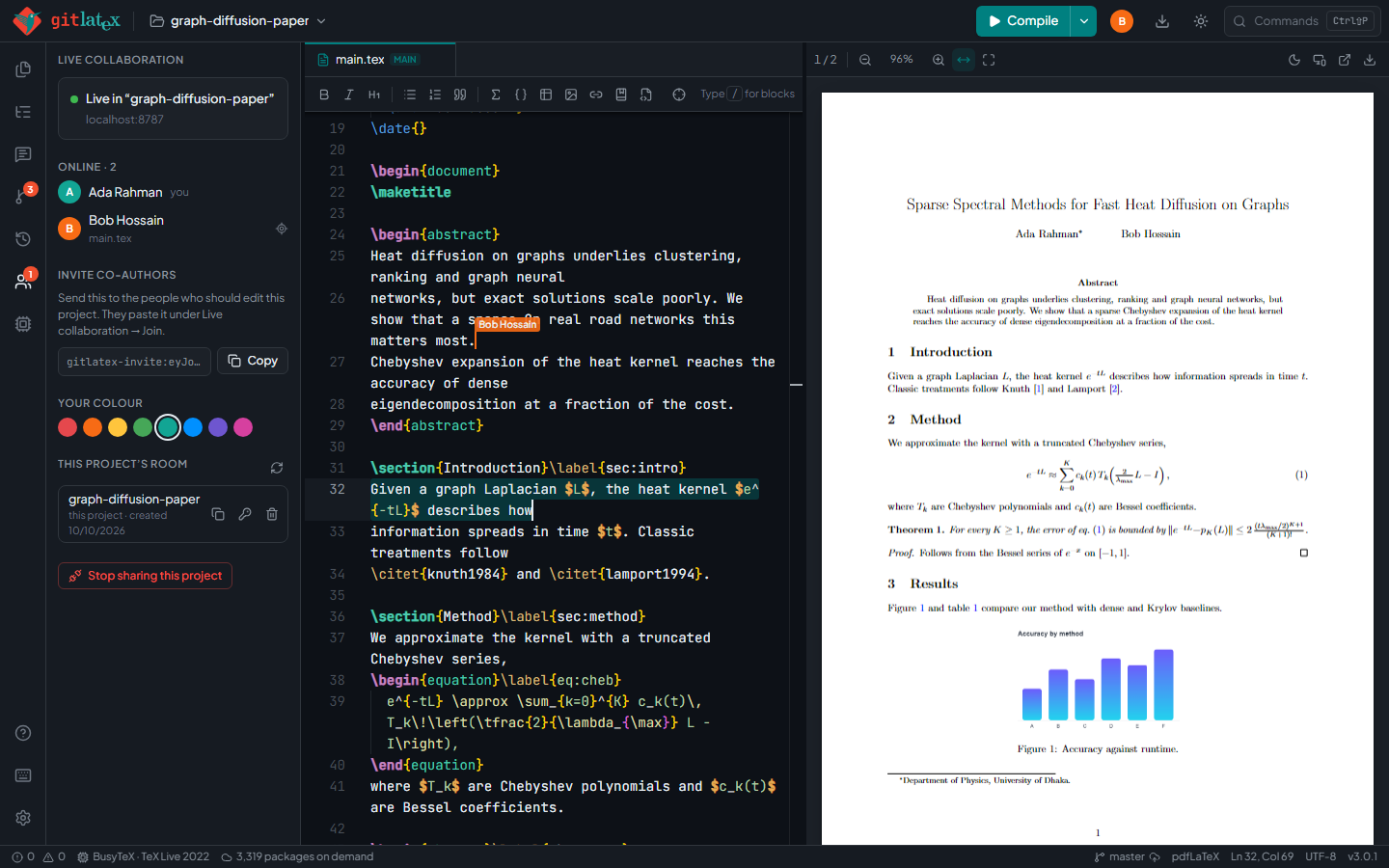
- Live collaboration (optional) — edit together in real time with shared cursors, while everyone keeps their own folder and Git. More
- Vim mode with VimTeX-style keys. More
 |
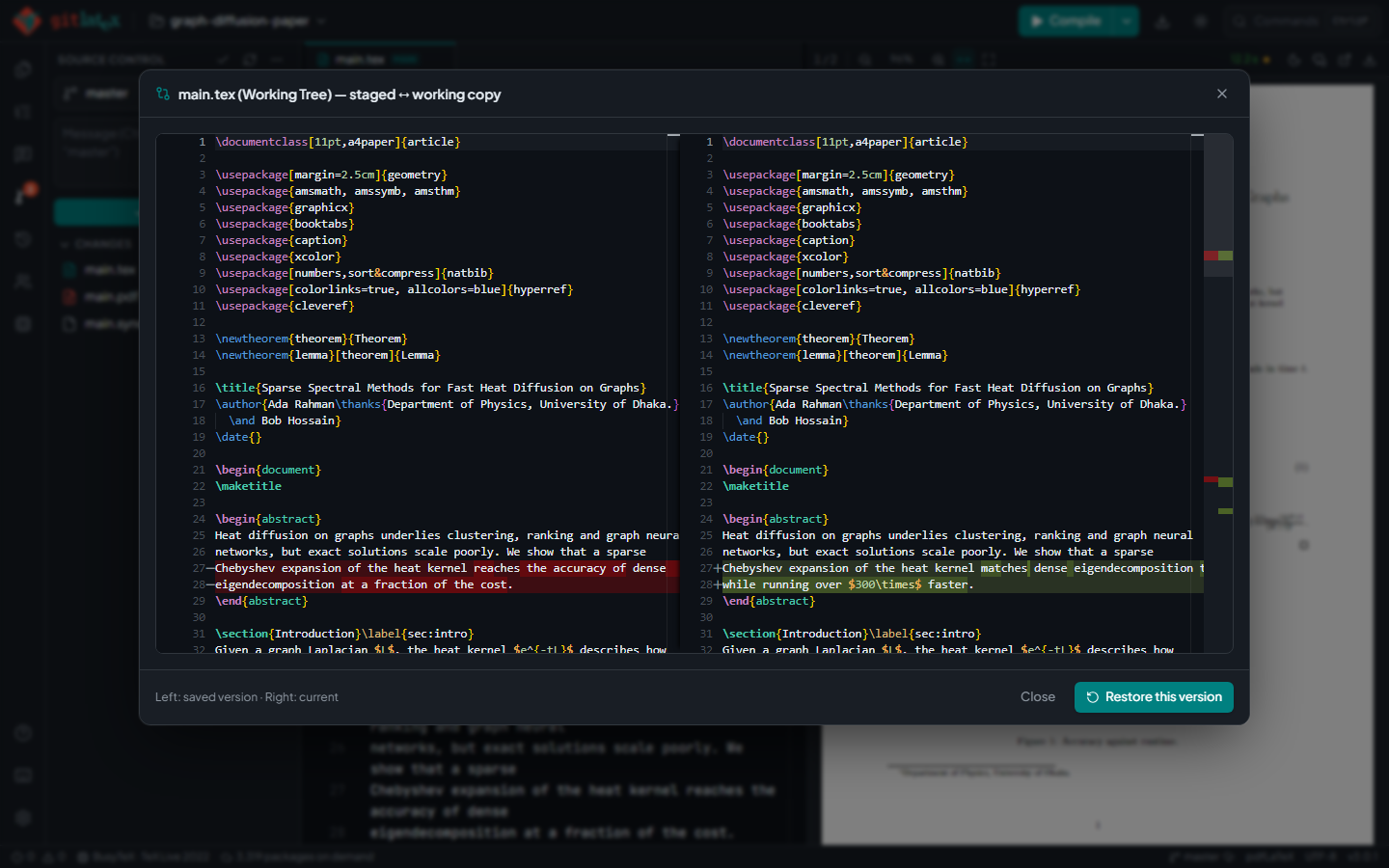 |
| Live collaboration: shared cursors, everyone on their own machine | Git built in: side-by-side diffs before you commit |
 |
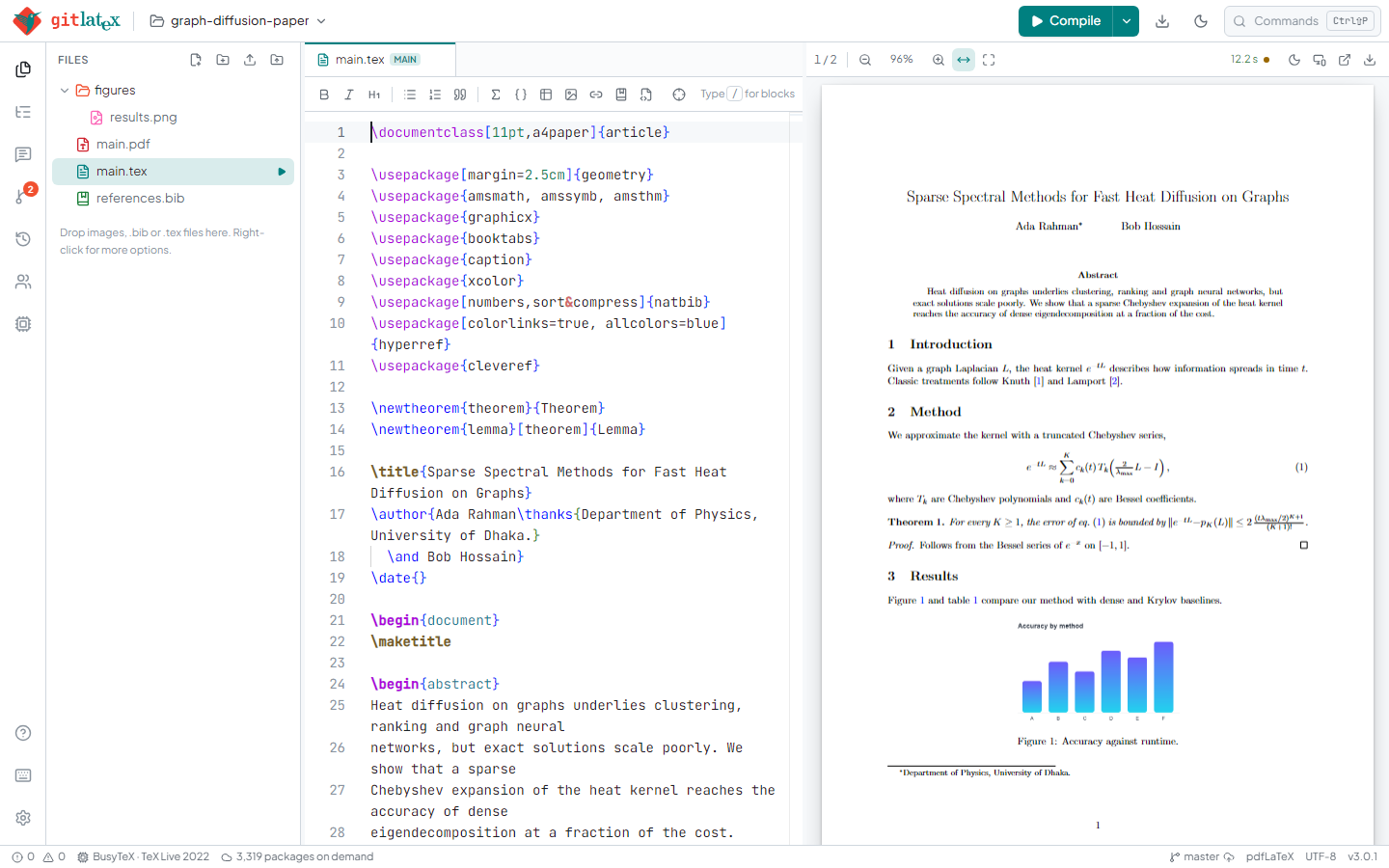 |
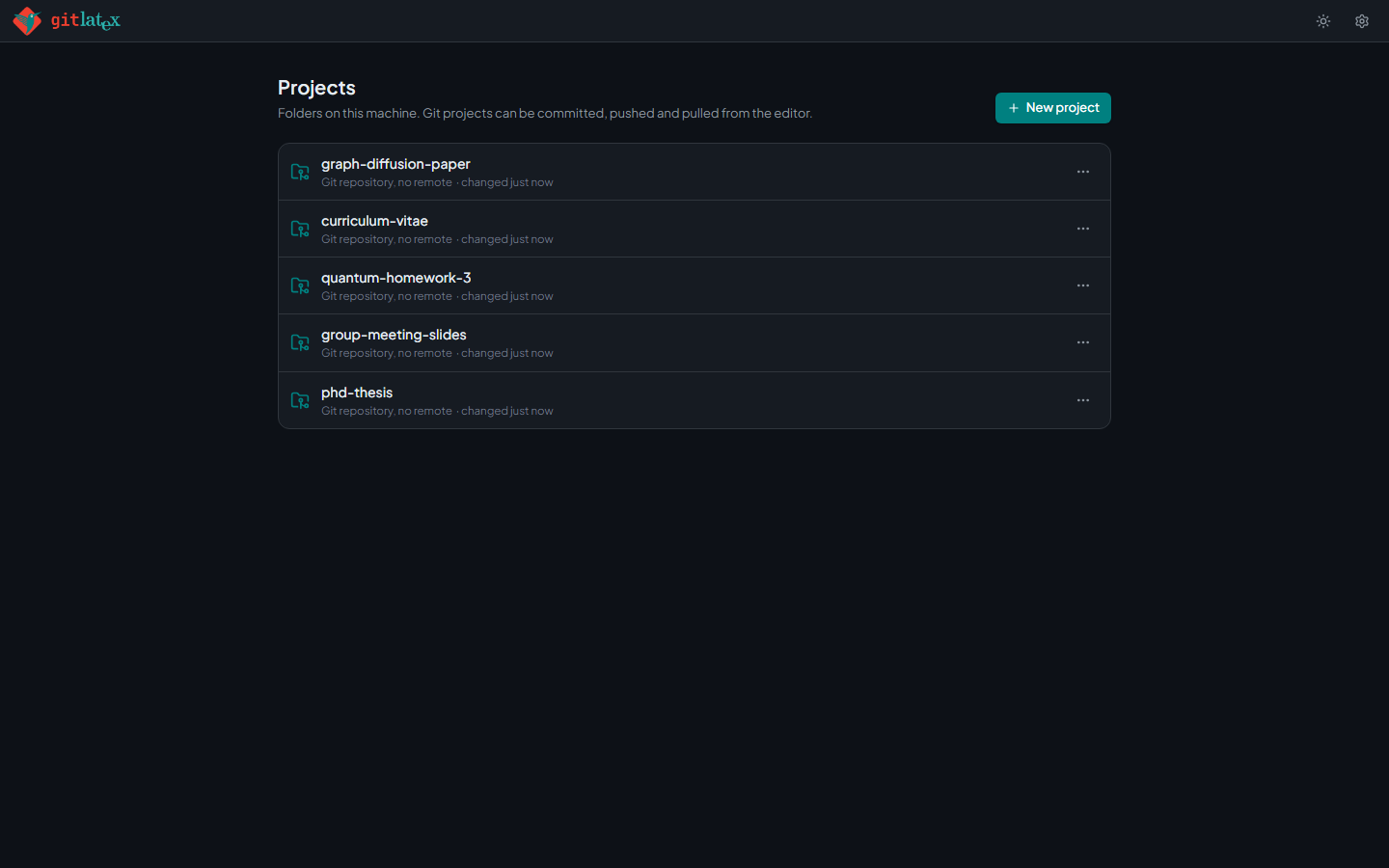
| Your projects: plain folders, each one a Git repo | Light and dark themes |
All the docs are in docs/.
| Problem | Fix |
|---|---|
| Compile fails immediately | With Local TeX, make sure pdflatex is on your PATH, or switch Settings → Compiler to Auto or In the browser. |
Citations show as ?? |
Locally, install biber or bibtex. In the browser, use backend=bibtex with biblatex. |
| Port already in use | gitlatex --port 3000 |
More in docs/troubleshooting.md.
Contributions are welcome. See CONTRIBUTING.md for running from source, the project layout and releasing.
Built and maintained by Md Abdus Sami Akanda and Md Atiqur Rahman, with contributions from Md Shamim Towhid.
Parts of the editor UI and the in-browser LaTeX compiler come from Jahir Uddin Komol's TexBrowser IDE.
If GitLaTeX saves you some time, you can keep the coffee flowing.
Released under the ISC License.