
Are you a fan of Retro Games? Want to play games anywhere? Then this Portable Retropie is for you. :)
Click to watch
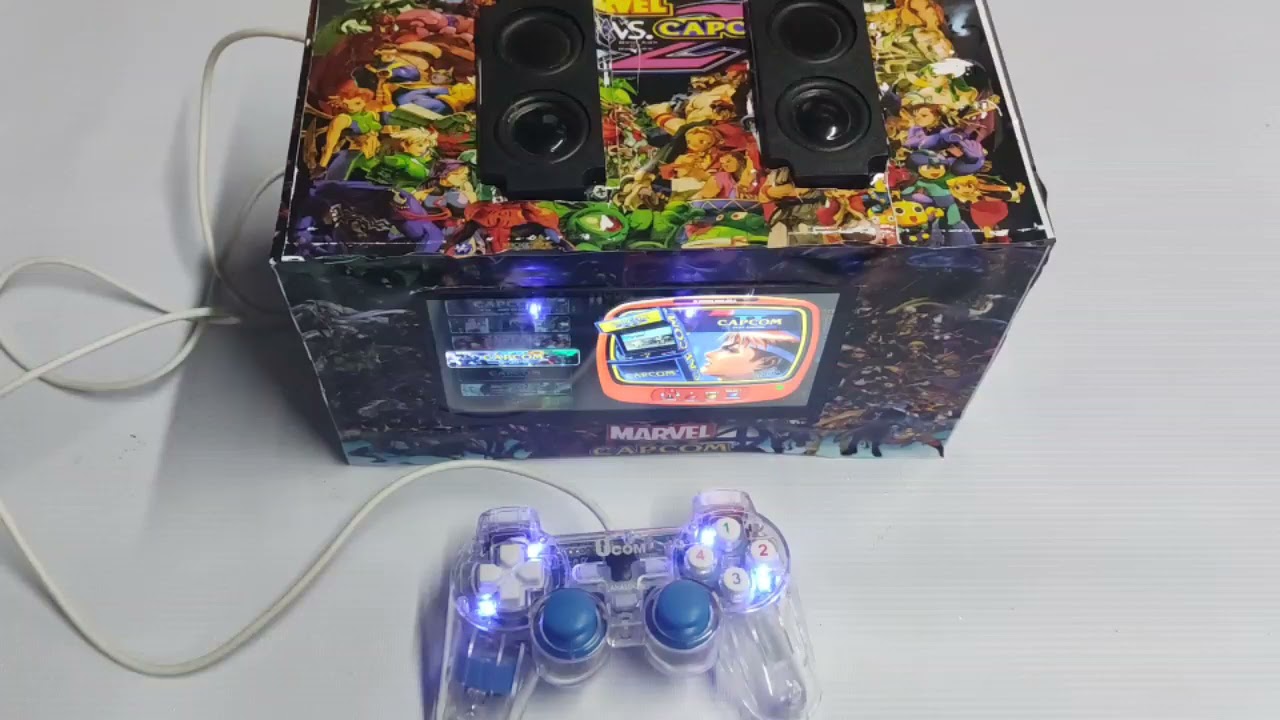


1.) Raspberry pi 4 2Gb set
-Raspberry pi 4 case
-SD Card 64gb or higher
-fan
-USB A to USB C cable
2.) HDMI to Micro cable https://shopee.ph/LANDZO-1M-Micro-HDMI-To-HDMI-Cable-Adapter-Cord-for-Tablet-HDTV-and-Raspberry-Pi-4-HDMI-HD-Cable-i.174315508.2826895720
3.) 7 inch Capacitive Touch Screen LCD (https://www.waveshare.com/wiki/7inch_HDMI_LCD_(C))
specs dimention: https://www.waveshare.com/w/upload/3/33/7inch-hdmi-lcd-c-panel-dimension.pdf https://www.waveshare.com/w/upload/c/cc/7inch_HDMI_LCD_%28C%29_User_Manual.pdf
-USB A to USB Micro
4.) 8Ω 5W Speaker (https://www.waveshare.com/8ohm-5w-speaker.htm) https://shopee.ph/1-Pair-Audio-Speakers-1045-Sound-Speaker-LCD-TV-Loudspeakers-8-Ohm-5W-Portable-i.135510909.2341604575
5.) PowerBank
6.) Acrylic case or you can 3D printed
7.) Angle bracket with nut and screws
8.) SD card Reader
9.) USB Joystck controller (You can also use BT controller) https://shopee.ph/LED-Wired-USB-Gamepad-Vibration-Joystick-Game-Controller-Joypad-For-PC-Laptop-Win7-10-XP-i.43390158.1526655509
SOFTWARE
1.) First Download the Official Retropie Image https://retropie.org.uk/download/
2.) Flash the Downloaded Retropie Image to the SD Card using the SD card reader.
3.) After flashing insert the SD Card to the raspberry pi then connect the raspberry pi to the LCD (After booting you notice there are no games)
4.) Games for retropie need Three things, ROMS, Emulator and Bios. https://retropie.org.uk/docs/
To Download and to set it up all correctly is hard for beginner cause you need the right setup for emulator and bios to work it perfectly and its really time consumming.
Wanna take the challenge and download Roms on your own? here are some sites that i think are safe.
EASIER WAY - Easier way means you dont need to Download/Install Emulator or Roms Because Some Nice people do it for you. :)
1.) First Download your Desired Retropie Image Package from here https://www.arcadepunks.com/
I use the Dual Screen Raspberry Pi4 RetroPie Marquees Loaded Images “CRT BLAST”! 64 Gb image https://www.arcadepunks.com/dual-screen-raspberry-pi4-retropie-marquees-loaded-images-crt-blast/
2.) Flash the Downloaded Retropie Image to the SD Card using the SD card reader.
New to this flashing? here's a link to get you started:
https://www.instructables.com/How-to-Create-a-Retro-Gaming-Machine-Using-RetroPi/
https://www.youtube.com/watch?v=PijX8GDco-g
HARDWARE
1.) Connect the Raspberry pi 4 peripherals.
-Power supply to the powerbank
-HDMI to the LCD Screen.
-Connect the joystick controller
2.) Connect the LCD Screen peripherals.
-Power supply to powerbank
-HDMI micro to raspberry pi
-Connect the Speaker at the back of LCD
New to connections? here's a link to get you started:
https://www.youtube.com/watch?v=iTUT3i9urwI
I made a 3D printed STL file if you want to 3D printed it. In my Case i use Acrylic. Here are the Dimensions
STL Link: https://www.thingiverse.com/thing:4974919/files


Front: 275mmx158mm Center hole: 164mmx89mm

Back: 275mmx158mm

Side: 132mmx158mm

Below: 275mmx132mm

Center: 275mmx50mm
Raspberry Pi 4 Retropie Boot From External If No SD Card Present and use Rasbian Desktop PC (like a normal PC which you Edit docs, Browser like fb or Youtube)
https://www.instructables.com/Raspberry-Pi-4-Retropie-Boot-From-External-If-No-S/