

A fork of szabope's mypy-pycharm plugin for PyCharm: real-time and on-demand Python type checking.
Supports mypy (>= 1.11) and zuban (>= 0.9, its mypy-compatible zmypy mode) as the type checker, selectable in the settings.
The zuban support in this fork was added with AI assistance (Qwen3.8-27B) — use it at your own risk.
Mypy, as described by its authors:
Mypy is a static type checker for Python.
Type checkers help ensure that you're using variables and functions in your code correctly. With mypy, add type hints (PEP 484) to your Python programs, and mypy will warn you when you use those types incorrectly.
Zuban, as described by its author:
Zuban is a fast Python type checker and language server written in Rust, with a mypy-compatible mode (
zmypy).
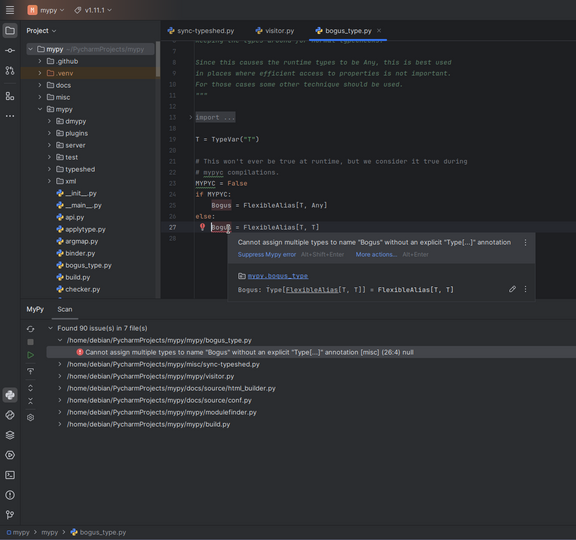
Fork notice: this plugin is a fork of https://github.com/szabope/mypy-pycharm-plugin by Peter Szabo, extended with zuban (zmypy) support. It is not published on the JetBrains Marketplace; install it from disk (below). The zuban feature set was generated with AI assistance (Qwen3.8-27B) — use it at your own risk.
- mypy mode:
mypy >= 1.11.0, or - zuban mode:
zuban >= 0.9(pip packagezuban, provides thezmypyexecutable) - The selected tool must be executable by the IDE. e.g. a tool in WSL won't work with an IDE running on Windows
- The tool does not need to be installed into the project's environment; it can be configured independently
This plugin is not on the JetBrains Marketplace. Install from disk:
- Build the distribution:
./gradlew buildPlugin(or take a prebuilt zip from the releases of this repository). - In PyCharm:
Settings > Plugins > ⚙ > Install Plugin from Disk...and select theZMypy-*.zip.
Besides mypy, the plugin can use zuban
(its mypy-compatible mode, zmypy) as the type checker. Select it in the settings via the
Type checker dropdown (defaults to mypy).
- Install with
pip install zuban(oruv pip install zuban). Requireszuban >= 0.9. - In Use project SDK mode the plugin runs the SDK's own
zmypyscript (<venv>/bin/zmypy, or<venv>\Scripts\zmypy.exeon Windows).python -m zubanis not possible — the package is a binary that must be run through its executable. - Config files work the same as for mypy:
mypy.ini,[tool.mypy]and[tool.zuban]inpyproject.tomlare all honored.
Limitations of zuban mode (because zmypy lacks mypy's --shadow-file and --output json):
- Real-time annotations of unsaved content work by mirroring the working directory into a
temporary directory (clean subtrees as live directory links, unsaved files as copies of
their in-memory content) and running zmypy there, passing the project venv explicitly
(
--python-executable). Consequences:- Files outside the working directory (e.g. in multi-root projects) are not annotated in real time.
- A dirty file that is imported only through a
mypy_pathentry (not located under the working directory) is seen by zmypy with its saved content. - A file that is unsaved but has no open editor keeps its last mirrored content.
- On Windows without developer mode the mirror falls back to materializing every file individually (slower on large projects).
- Manual scans always see the saved content (they save all documents first).
- mypy-only CLI flags placed in the custom Arguments field produce a visible usage-error balloon (zmypy exits with code 2), rather than being silently ignored.
Configuration is done on a project basis. Tool executable validation executes the candidate with -V to validate its version.
Upon project load, the plugin looks for existing settings for Leinardi's mypy plugin and makes a copy of them. Executable only set if the version of mypy is supported.
In case such configuration was not found Use project SDK option is selected.
If there is no python SDK set for the project or mypy is not installed for it, the user gets notified:
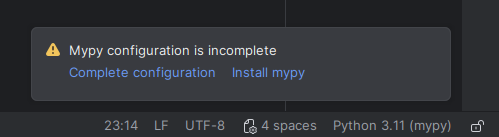
You can modify settings at Tools / ZMypy.
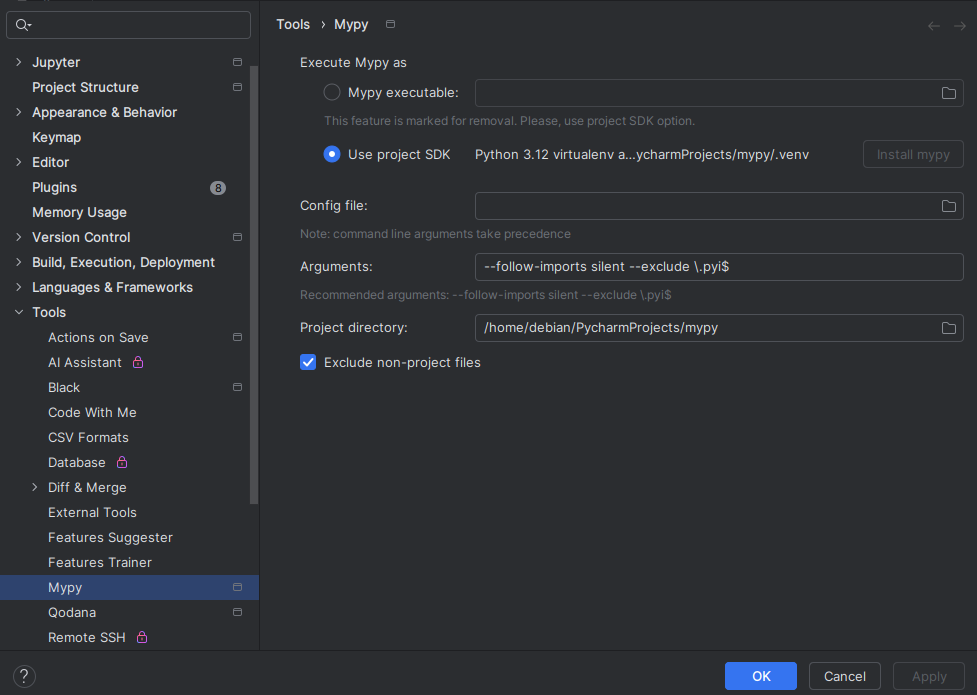
The severity level is set to Error by default. You can change this in inspection settings.
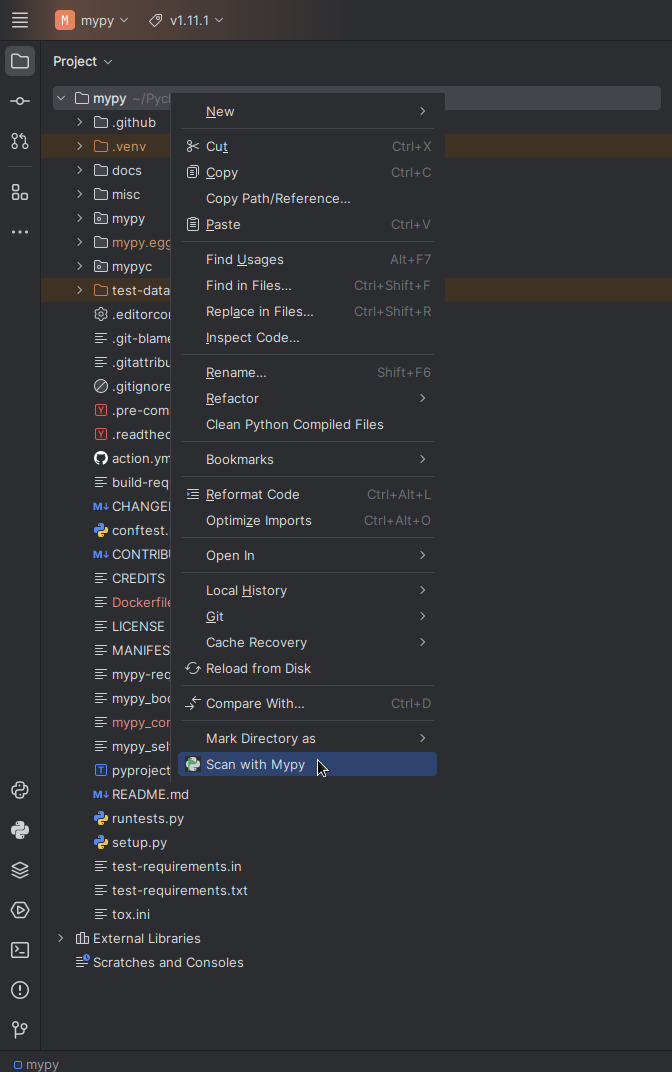
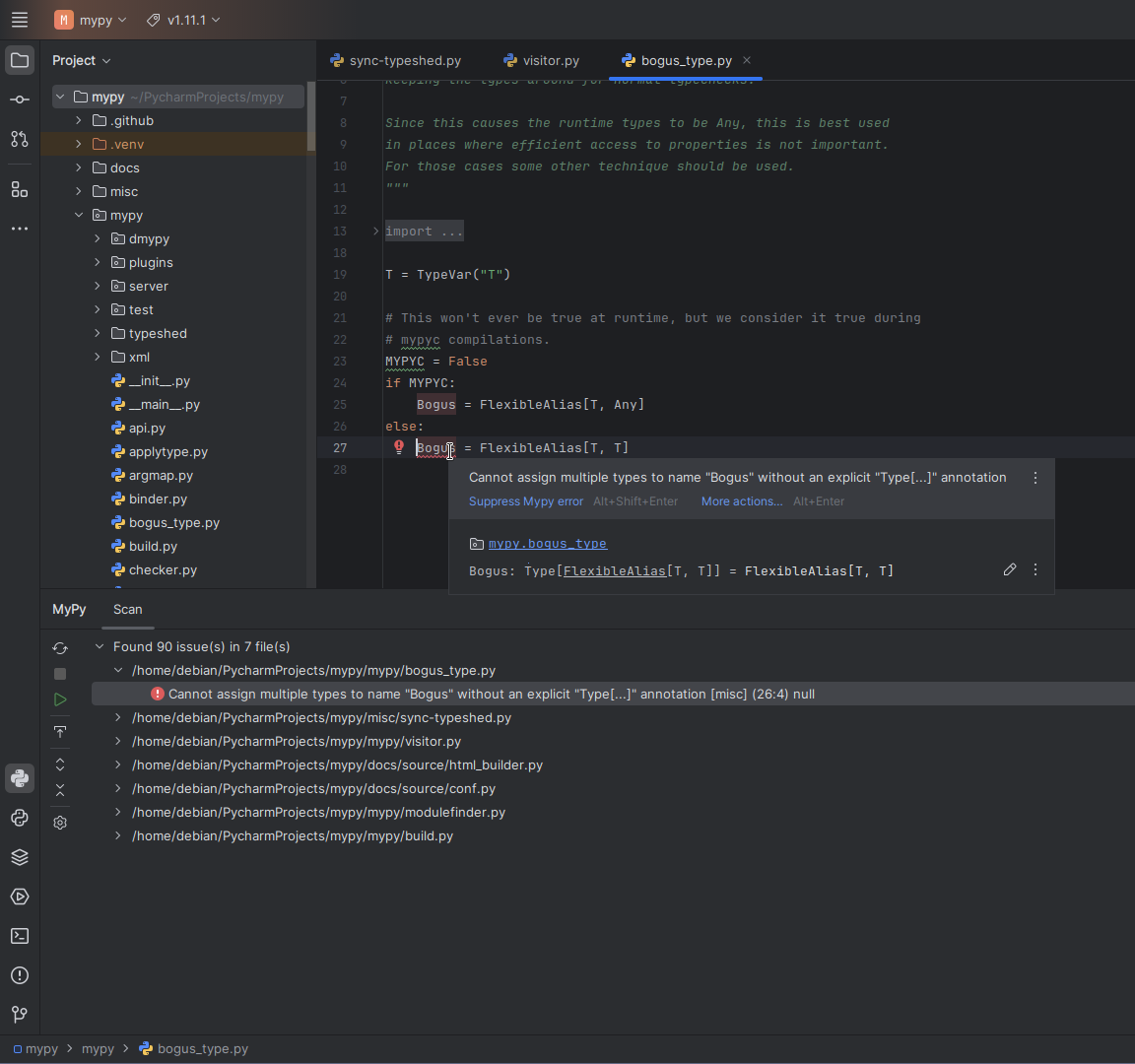
Scan with ZMypy  action is available in right-click menus for the Python file loaded into the editor, its tab,
and Python files and directories in the project and changes views. You may select multiple targets,
but all of them has to be either a Python file or a directory.
Rescan Latest  action is available within the ZMypy toolwindow. It clears the results and re-runs the type checker for the latest target.
Configuration is not retained from the previous run.
Scan Editor  action is available within the ZMypy toolwindow. It clears the results and runs the type checker for the one file that is open
and currently focused in the Editor.
This indicates that the external type checker has exited with an error. The plugin can't fix these.
Details may contain something like this: mypy: "mypy/typeshed/stubs/mypy-extensions/mypy_extensions.pyi" shadows library module "mypy_extensions"
In this case you may want to add --exclude \.pyi$ to the arguments in the settings.
Another switch --explicit-package-bases may also work.
You can exclude containing directory:
- make sure that
Settings > Tools > ZMypy > Exclude non-project filesis checked, so all directories that are marked as excluded will also be excluded from the scan. Mark Directory as > Excluded
For further configuration options, please see mypy -h / zmypy -h.
You may get more insight into the plugin here: Debug
Open Help > Diagnostic Tools > Debug Log Settings...
Enter works.kunesj.plugins.zmypy:trace
Hit [Ok]
Then you can see debug logs in idea.log (Help > Open Log in Editor)
Keep in mind that the log may contain sensitive information.
-
Toolbar actions were simplified:
- Close toolbar: removed
- Check module: removed
- Check project: removed
- Check all modified files: removed
- Check files in the current changelist: removed
- Clear all: removed
- Severity filters: removed
- Rescan: added
-
Scan can now be started from the right-click menu within the editor, on an editor tab, and on files or directories in the project and changes views.
- Peter Szabo — the author of mypy-pycharm-plugin, which this fork is based on.
- Roberto Leinardi — the author of the original mypy-pycharm plugin.
Copyright 2024 Peter Szabo
Copyright 2026 Jiří Kuneš

Licensed to the Apache Software Foundation (ASF) under one or more contributor
license agreements.  See the NOTICE file distributed with this work for
additional information regarding copyright ownership.  The ASF licenses this
file to you under the Apache License, Version 2.0 (the "License"); you may not
use this file except in compliance with the License.  You may obtain a copy of
the License at

  http://www.apache.org/licenses/LICENSE-2.0

Unless required by applicable law or agreed to in writing, software
distributed under the License is distributed on an "AS IS" BASIS, WITHOUT
WARRANTIES OR CONDITIONS OF ANY KIND, either express or implied.  See the
License for the specific language governing permissions and limitations under
the License.