










Copyright (C) 2008 ~ 2025 Zhang Ji Peng (onecoolx@gmail.com)
Picasso is a high quality vector graphic rendering library. It has high performance and low footprint. Picasso provides a set of high level 2D graphics API, which can be used to a GUI system, rendering postscript, rendering svg images and so on. It support path, matrix, gradient, pattern, image and truetype font.
- Path Filling, Stroking
- Solid Color, Gradient, Pattern
- Stroke Dashing
- Linecap Butt, Round, Square
- Linejoin Miter, Round, Bevel
- Transform and Matrix
- Filling Rule
- Blur
- Shadow
- Clipping
- Compisiting
- Font and Text
- Image Decoders jpeg, png, webp, gif
- SVG Tiny 1.2
- SVG Animation
1. Install cmake above v3.16 on your system
 $ sudo apt install cmake

2. Build project
 ./build_linux.sh
 cd proj
 make
1. Install cmake above v3.16 on your windows system and register path environment variables.
 c:\> winget install --id Kitware.CMake -e

2. Build project
 build_windows.bat
 cd proj
 <open "picasso.sln" with visual studio>
1. Install cmake above v3.16 on your system
 $ brew install cmake

2. Build project
 ./build_macosx.sh
 cd proj
 <open "picasso.xcodeproj" with Xcode>
The following example creates an off-screen canvas, draws a filled rectangle with a radial gradient, and saves the result. It demonstrates the core Picasso workflow: canvas → context → draw → release.
#include "picasso.h"
int main(void)
{
/* 1. Initialize the library */
ps_initialize();
/* 2. Allocate a pixel buffer and create a canvas backed by it */
int width = 400, height = 300;
int stride = width * 4; /* RGBA8888: 4 bytes per pixel */
unsigned char* buf = (unsigned char*)malloc(stride * height);
memset(buf, 0, stride * height);
ps_canvas* canvas = ps_canvas_create_with_data(buf, COLOR_FORMAT_RGBA,
width, height, stride);
/* 3. Create a drawing context */
ps_context* ctx = ps_context_create(canvas, NULL);
/* 4. Build a radial gradient */
ps_point center = { 200.0f, 150.0f };
ps_gradient* grad = ps_gradient_create_radial(GRADIENT_SPREAD_PAD,
¢er, 0.0f,
¢er, 180.0f);
ps_color c0 = { 0.2f, 0.6f, 1.0f, 1.0f }; /* light blue */
ps_color c1 = { 0.0f, 0.1f, 0.4f, 1.0f }; /* dark blue */
ps_gradient_add_color_stop(grad, 0.0f, &c0);
ps_gradient_add_color_stop(grad, 1.0f, &c1);
/* 5. Draw a rounded rectangle filled with the gradient */
ps_rect rc = { 40.0f, 30.0f, 320.0f, 240.0f };
ps_rounded_rect(ctx, &rc, 16, 16, 16, 16, 16, 16, 16, 16);
ps_set_source_gradient(ctx, grad);
ps_fill(ctx);
/* 6. Stroke a border */
ps_color stroke = { 1.0f, 1.0f, 1.0f, 0.8f };
ps_set_stroke_color(ctx, &stroke);
ps_set_line_width(ctx, 2.0f);
ps_rounded_rect(ctx, &rc, 16, 16, 16, 16, 16, 16, 16, 16);
ps_stroke(ctx);
/* 7. Release resources */
ps_gradient_unref(grad);
ps_context_unref(ctx);
ps_canvas_unref(canvas);
free(buf);
ps_shutdown();
return 0;
}The pixel buffer buf now contains the rendered RGBA image and can be passed to any display or image-encoding layer.
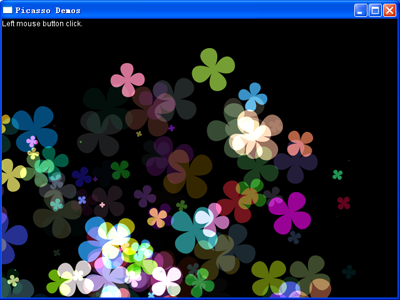
| Alpha Blending & Compositing | SVG Rendering |
|---|---|
 |
 |
| Alpha blending across multiple overlapping geometry shapes | Full SVG path, gradient, and stroke rendering (Tiger benchmark) |
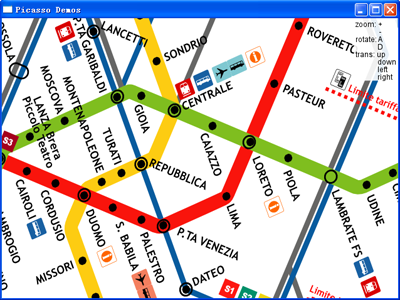
| GIS / Map Rendering | Realtime Instrumentation |
|---|---|
 |
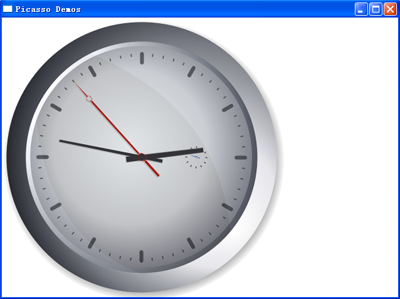 |
| High-density polyline and label rendering for GIS applications | Arc, gradient, and affine transform compositing for realtime UI |